Every year, the average household throws away nearly $1,500 worth of food — produce that wilted before it was used, leftovers forgotten at the back of the fridge, and ingredients bought twice because nobody checked what was already there. For busy families, this isn’t just a financial drain; it’s a daily source of stress. The 5 PM panic of figuring out what’s for dinner, the guilt of tossing expired yogurt, the endless cycle of disorganized grocery runs — it all adds up.
- The Growing Problem: Food Waste and Meal Planning Stress for Busy Families
- What is a Digital Fridge Manager Calendar? Your All-in-One Solution
- How a Digital Fridge Manager Calendar Works to Streamline Your Kitchen
- Tracking Your Food Inventory: The Foundation
- Managing Expiration Dates with Calendar Digital Integration
- Simplifying Meal Planning Based on Real-Time Inventory
- Step-by-Step Guide: Implementing Your Own Digital Fridge Manager Calendar
- Step 1: Choose Your Tools and Set Up the Food Inventory System
- Step 2: Integrate Inventory with a Digital Calendar for Expiration Alerts
- Step 3: Create a Weekly Meal Plan Using Your Inventory
- Step 4: Establish Routines for Maintenance and Updates
- The Tangible Benefits: How This System Helps Reduce Food Waste and Saves Time
- Start Today: Build a Calmer, Smarter Kitchen
The good news is that a smarter system can change everything. A digital calendar for fridge management brings together food inventory tracking and meal planning into one streamlined tool, giving you a real-time view of what’s in your kitchen and what needs to be used before it goes bad. By combining the organizational power of a digital calendar with practical inventory management, this approach eliminates guesswork and puts you back in control. In the sections ahead, you’ll find a clear breakdown of how this system works and a practical guide to setting it up in your own home — starting today.
The Growing Problem: Food Waste and Meal Planning Stress for Busy Families
The financial toll of household food waste is striking, but the emotional weight is just as heavy. Parents who work full-time, manage school schedules, and still need to put a nutritious dinner on the table by 6 PM don’t have the bandwidth to cross-reference what’s in the crisper drawer against what’s on sale at the grocery store. The result is a kitchen that feels chaotic rather than functional — a place where good intentions meet bad systems.
For most busy families, the core challenges come down to three recurring failures. First, there’s no reliable way to track what’s already in the fridge, so duplicate purchases pile up alongside forgotten ingredients. Second, expiration dates go unnoticed until it’s too late, turning a week’s worth of groceries into a guilt-ridden trip to the trash bin. Third, meal decisions get made at the last minute, leading to expensive takeout orders or uninspired dinners that don’t use what’s already on hand.
What these families actually need isn’t more willpower or a bigger grocery budget — they need a smarter structure. A system that automatically surfaces what needs to be used, maps those ingredients to real meals, and keeps everyone in the household on the same page. That’s precisely the gap a digital Fridge Manager calendar is designed to fill, turning a reactive, stressful routine into a proactive and manageable one.
What is a Digital Fridge Manager Calendar? Your All-in-One Solution
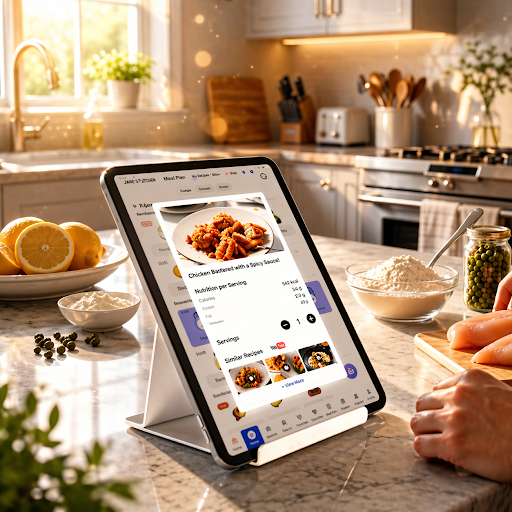
A digital Fridge Manager calendar is exactly what it sounds like: a unified system that merges food inventory management with the scheduling power of a digital calendar. Rather than relying on mental notes or sticky labels to remember what’s in the fridge, this approach gives every item in your kitchen a digital record — complete with quantity, category, and expiration date — all visible at a glance alongside your weekly meal plan.
At its core, the system has three interconnected components. The first is inventory logging, where every item entering your fridge or pantry gets recorded in a central digital tool, whether that’s a dedicated app or a structured spreadsheet. The second is expiration date tracking, which uses digital calendar functionality to schedule automatic reminders before food reaches its use-by date. The third is meal scheduling, where your existing inventory directly informs what you cook each day, eliminating the disconnect between what you have and what you plan to eat.
What makes this system genuinely powerful is integration. Instead of managing a grocery list in one place, a meal plan in another, and expiration dates nowhere at all, everything lives in one connected workflow. When you know a block of cheese expires Thursday, the calendar prompts you to build it into Wednesday’s dinner. That kind of real-time visibility transforms how a household interacts with food — shifting from reactive scrambling to deliberate, low-stress planning.



How a Digital Fridge Manager Calendar Works to Streamline Your Kitchen
Tracking Your Food Inventory: The Foundation
Everything starts with knowing what you actually have. Most households operate on memory alone, which is why the same jar of capers gets bought three times while the spinach quietly wilts. A digital Fridge Manager changes that by creating a living record of your kitchen’s contents. When groceries come in, each item gets logged — its name, quantity, and category — into your chosen tool. Some dedicated fridge manager apps support barcode scanning, which turns a ten-minute inventory update into a thirty-second task. For those who prefer a no-download approach, a structured spreadsheet with columns for item, category, quantity, and expiration date works just as effectively. The key is consistency: log items when they arrive, remove them when they’re used, and your inventory stays accurate without requiring a weekly audit.
Managing Expiration Dates with Calendar Digital Integration
Once your inventory exists as data, the calendar becomes your early warning system. For each perishable item, input its expiration date directly into your digital calendar — Google Calendar, Apple Calendar, Everblog, or any platform you already use daily. Set a reminder two to three days before the date, not on the date itself, so you have actual time to act. This buffer is what separates a useful alert from a useless notification. Many fridge manager apps handle this automatically, pushing reminders to your phone the moment something enters its critical window. The result is that expiration dates stop being invisible — they become scheduled events you respond to just like any other calendar commitment.
Simplifying Meal Planning Based on Real-Time Inventory
With inventory data and expiration alerts in place, meal planning stops being a creative exercise and becomes a straightforward matching process. At the start of each week, review which items are flagged as expiring soonest and build those into your first few dinners. A chicken breast expiring Tuesday becomes Monday’s stir-fry. Yogurt hitting its date by Wednesday goes into Tuesday’s smoothie. Your digital calendar then displays this meal schedule alongside the rest of your week, making it visible to every household member. This shared visibility eliminates the daily “what’s for dinner?” conversation and ensures that whoever gets home first can start cooking with confidence — no guesswork, no waste.
Step-by-Step Guide: Implementing Your Own Digital Fridge Manager Calendar
Step 1: Choose Your Tools and Set Up the Food Inventory System
Start with an initial audit — pull everything out of your fridge and pantry, discard anything already expired, and group what remains by category: proteins, dairy, produce, condiments, and dry goods. Then choose your tracking tool. Dedicated apps like Grocy, OurGroceries, or Out of Milk offer built-in fridge manager functionality with barcode scanning and expiration fields. If you’d rather avoid another app, a Google Sheets template with columns for item name, category, quantity, and expiration date works just as well. The right tool is simply the one you’ll actually use every day.
Step 2: Integrate Inventory with a Digital Calendar for Expiration Alerts
Once your inventory is logged, connect it to the digital calendar you already check daily. For each perishable item, create a calendar event on its expiration date and set a reminder to fire two days earlier. In Google Calendar, this takes under a minute per item — type the food name as the event title, add the date, and enable a notification. Digital calendar platforms like Everblog also make it straightforward to organize recurring household reminders alongside personal and work events, keeping everything in one view. If you’re using a dedicated fridge manager app, check whether it offers direct calendar sync or can export reminders automatically, which eliminates manual entry entirely. Either way, the goal is to make expiration dates visible commitments rather than forgotten footnotes.
Step 3: Create a Weekly Meal Plan Using Your Inventory
Every Sunday, open your inventory list and filter by items expiring within the next five to seven days. These become the anchors of your week’s meals — plan around them first, then fill remaining days with stable pantry staples. Add each planned meal as a calendar event on its intended day so every household member can see the schedule. Keep two or three flexible “wildcard” slots for nights when plans shift, and designate those for whatever is expiring soonest at that point in the week.
Step 4: Establish Routines for Maintenance and Updates
The system only works if the data stays current. Build two habits: first, log new groceries immediately after unpacking — not later, not tomorrow. Second, do a brief two-minute inventory scan each Wednesday to catch anything that slipped through. When an item gets used, delete or update its record on the spot. Set a recurring Sunday calendar reminder to review the upcoming week’s meal plan against current inventory. Consistency here is what converts a one-time setup into a long-term routine that genuinely reduces waste rather than just creating another task to abandon.
The Tangible Benefits: How This System Helps Reduce Food Waste and Saves Time
The impact of a digital Fridge Manager calendar shows up quickly and in multiple areas of daily life. On the financial side, households that actively track inventory and plan meals around expiring items consistently spend less on groceries — not because they’re buying cheaper food, but because they’re actually using what they buy. That alone can recover hundreds of dollars a year that currently end up in the trash. Time savings are equally real: a Sunday planning session that used to feel overwhelming becomes a focused fifteen-minute task when your inventory is already organized and your expiration alerts have done the prioritization for you. Weeknight dinners stop requiring last-minute decisions, and grocery runs become targeted rather than exploratory. Beyond the practical gains, there’s a meaningful reduction in household stress — the kind that comes from finally having a system that works instead of one more good intention that fades by Wednesday. And for families who care about sustainability, consistently wasting less food is one of the most direct contributions an individual household can make to reducing environmental impact.
Start Today: Build a Calmer, Smarter Kitchen
A digital Fridge Manager calendar isn’t a complicated overhaul — it’s a smarter structure built on tools you already have. By logging your inventory, connecting expiration dates to a calendar you actually check, and letting that data drive your weekly meal plan, you replace the chaos of reactive kitchen management with something that genuinely works. The financial savings are real, the time recovered is meaningful, and the daily stress of figuring out dinner becomes a problem you’ve already solved before the week begins.
The best time to start is right now, with whatever is currently in your fridge. Do a quick audit, pick one tracking tool — an app or a simple spreadsheet — and log what you find. Add three expiration dates to your calendar before you close this tab. That’s the entire first step. From there, the system builds on itself, and within a week you’ll have a clearer, calmer relationship with your kitchen. Beyond the personal benefits, consistently wasting less food is a small but genuine contribution to a larger sustainability goal — one household at a time. Take that first step today, and let the system do the rest.