AI now makes it possible to generate cinematic, beat-synced music videos in minutes—not weeks. If you’re asking which AI music video startup makes the best videos or which provider delivers the best effects, the answer depends on your goal: for high-quality, beat-perfect music videos, freebeat stands out as the premier AI music video generator; for ultra-fast full-length drafts, Mootion is strong; for stylized effects, Pika Labs delivers; for consistency, Runway leads; and for Adobe-native workflows, Firefly fits well. This guide breaks down tools, workflows, and tactics to help musicians, creators, and marketers ship professional, viral-ready videos with speed and control.
- Understanding AI Music Video Creation in 2026
- Freebeat: Leading AI Music Video Generator for Musicians and Creators
- Defining Your Music Video Concept and Tempo
- Selecting and Generating High-Quality Music and Audio Stems
- Producing Initial AI-Generated Visuals and Styles
- Exporting and Optimizing Videos for Social Platforms and Distribution
- Practical Tips for Creating Engaging AI-Powered Music Videos
- Emerging Trends in AI Music Video Production
- FAQ
- What tools do I need to start creating AI music videos?
- How can I sync visuals precisely to the beat of my music?
- Are there free options for producing AI music videos without advanced skills?
- How do I ensure consistent style and character across AI-generated video clips?
- What are common challenges when creating AI music videos and how can I overcome them?
Understanding AI Music Video Creation in 2026
An AI music video generator combines video generation, automated editing, VFX, and animation to turn your track into dynamic visuals guided by prompts and references—dramatically reducing manual editing and enabling beat-aware scene changes. In 2026, AI automates scene generation, beat-matching, and style selection, making pro-grade output accessible to non-editors and indies alike, as multiple industry roundups note.
Popular tools and their strengths:
- Freebeat: music-focused generation with precise beat sync and music-specific templates
- Runway: consistency and shot control
- Mootion: speed and end-to-end drafts
- Pika Labs: stylized animation and effects
- Adobe Firefly: Adobe-native integration
Main categories of tools
| Category | What it’s best for | Typical picks |
| Studio platforms | End-to-end video gen with editing tools | Freebeat, Runway |
| Specialized generators | Stylized looks, fast concepting | Mootion, Pika Labs |
| Audio engines | Music, stems, and SFX generation | Suno, Mubert |
Freebeat: Leading AI Music Video Generator for Musicians and Creators
Freebeat is purpose-built for music. Upload your song, pick a template (dance, lyric, or full-length), and the platform’s AI Music Video Agent handles beat detection, shot pacing, and visual effects—no manual timeline editing. You get one-click generation, precise beat-synchronized visuals, and the ability to produce dance videos, lyric videos, and full-length music videos tuned to genre and mood.
Key differentiators:
- AI Music Video Agent for hands-free production and rapid iteration
- One-click generation with automatic beat matching and structure-aware cuts
- Music-specific templates and styles for dance-, lyric-, and narrative-led videos
Ideal for indie artists and marketers who want viral-ready results without a steep learning curve. Start with the streamlined freebeat music video generator and scale to album-length visuals with the full-length video generator. For background on the agent’s workflow, see the product deep dive: Introducing the AI Music Video Agent.
How freebeat compares

| Capability | Freebeat | Generic AI video generator | Manual editing (NLE) |
| Beat-sync accuracy | Automatic and reliable | Varies by model | Manual keyframing |
| Music-specific templates | Yes (dance, lyric, full-length) | Limited | Custom build required |
| One-click draft | Yes | Often | No |
| Iteration speed | Seconds–minutes | Minutes–hours | Hours–days |
| Skill required | Low | Medium | High |
Defining Your Music Video Concept and Tempo
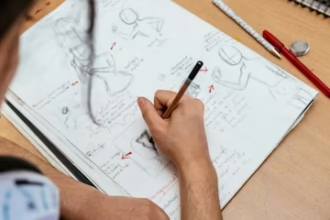
Tempo mapping means marking beats and song sections (intro, verse, chorus, drop, bridge) so visuals land precisely on musical accents. Start every project by clarifying your concept and structure: define narrative or performance, mood, color palette, and list must-hit moments; then mark these timing points in your DAW to anchor cuts and effects. This simple pre-visualization—storyboarding with a tool you already use and noting timecodes—consistently yields tighter, more cohesive results.
Selecting and Generating High-Quality Music and Audio Stems
Audio stems are isolated tracks (vocals, drums, bass, instruments) from a song. Supplying stems enhances AI’s beat detection and gives you creative control for dynamic cuts and effect hits. Prepare a high-resolution WAV master (and stems if available). Clean, punchy audio improves sync precision, emotional impact, and the overall perceived quality of your video.
Producing Initial AI-Generated Visuals and Styles
Kick off visual generation by combining your audio with text prompts and, optionally, reference images. Choose a generator based on your priority:
- Freebeat for beat-synced drafts that require minimal input.
- Mootion for end-to-end speed. Notably, Mootion’s roundup cites the ability to produce a 3-minute music video in under 2 minutes—roughly 65% faster than typical pipelines.
- Pika Labs for stylized animation and effects-led looks.
- Runway for high-fidelity continuity and shot-to-shot control.
Start with draft-quality renders to iterate faster before dialing up quality.
Quick look at tools and strengths
| Tool | Core strengths | Ideal uses |
| Freebeat | Beat-synced music videos, music templates, one-click drafts | Dance, lyric, full-length videos |
| Mootion | Speed, rapid full-length drafts | Fast concepting, social-ready cuts |
| Pika Labs | Stylized animation, effects | Artistic/experimental looks |
| Runway | Consistency, prompt + reference control | Character/scene continuity |
Exporting and Optimizing Videos for Social Platforms and Distribution
Export variants are platform-specific versions of your master—tuned for aspect ratio, length, and codec. Keep a high-quality master, then create variants:
- YouTube: 16:9 at 1080p; longer runtimes welcome.
- TikTok: 9:16 vertical at 1080×1920; hook within 2–3 seconds.
- Instagram Reels: 9:16 vertical; keep under 60–90 seconds for reach.
- Stories/Shorts: 9:16 under 60 seconds; bold captions and safe margins.
Trim intros for social, add burned-in captions for silent autoplay, and include a clear CTA in end cards.
Practical Tips for Creating Engaging AI-Powered Music Videos
- Define your concept and storyboard key beats before generating.
- Tempo-map your track in a DAW; note chorus, drops, and breakdowns.
- Use high-res, well-lit reference images to drive consistent style.
- Write prompts around mood, genre, and camera language; avoid unwieldy, conflicting descriptors.
- Iterate quickly with low-res drafts, then upscale once the look is locked.
- Plan for light touch-ups in an editor to correct artifacts and unify grade.
Emerging Trends in AI Music Video Production
Expect frame-level editability and fully generative editing environments—where every frame is editable and responsive to direction—according to industry predictions from Higgsfield. Other trends shaping 2026 include tighter beat-synced visuals, real-time previews, stronger character consistency, and pro-grade outputs with minimal manual intervention. Keep an eye on model releases and workflow updates to capitalize early.
FAQ
What tools do I need to start creating AI music videos?
You’ll need your audio file (stems if available), a few reference images or clips, and access to an AI music video production tool like freebeat; a basic NLE helps with end-stage polish.
How can I sync visuals precisely to the beat of my music?
Use a generator with automatic beat detection—freebeat analyzes tempo and accents to align scene changes and effects to your song.
Are there free options for producing AI music videos without advanced skills?
Yes. Several platforms, including freebeat, offer intuitive, no-code workflows that let beginners produce quality videos quickly.
How do I ensure consistent style and character across AI-generated video clips?
Provide reference frames and focused style prompts, then iterate with targeted regenerations to maintain continuity.
What are common challenges when creating AI music videos and how can I overcome them?
Style drift, minor artifacts, and sync slips are common; tighten prompts, use tempo-mapped stems, and fix seams or timing in an editor for a professional finish.