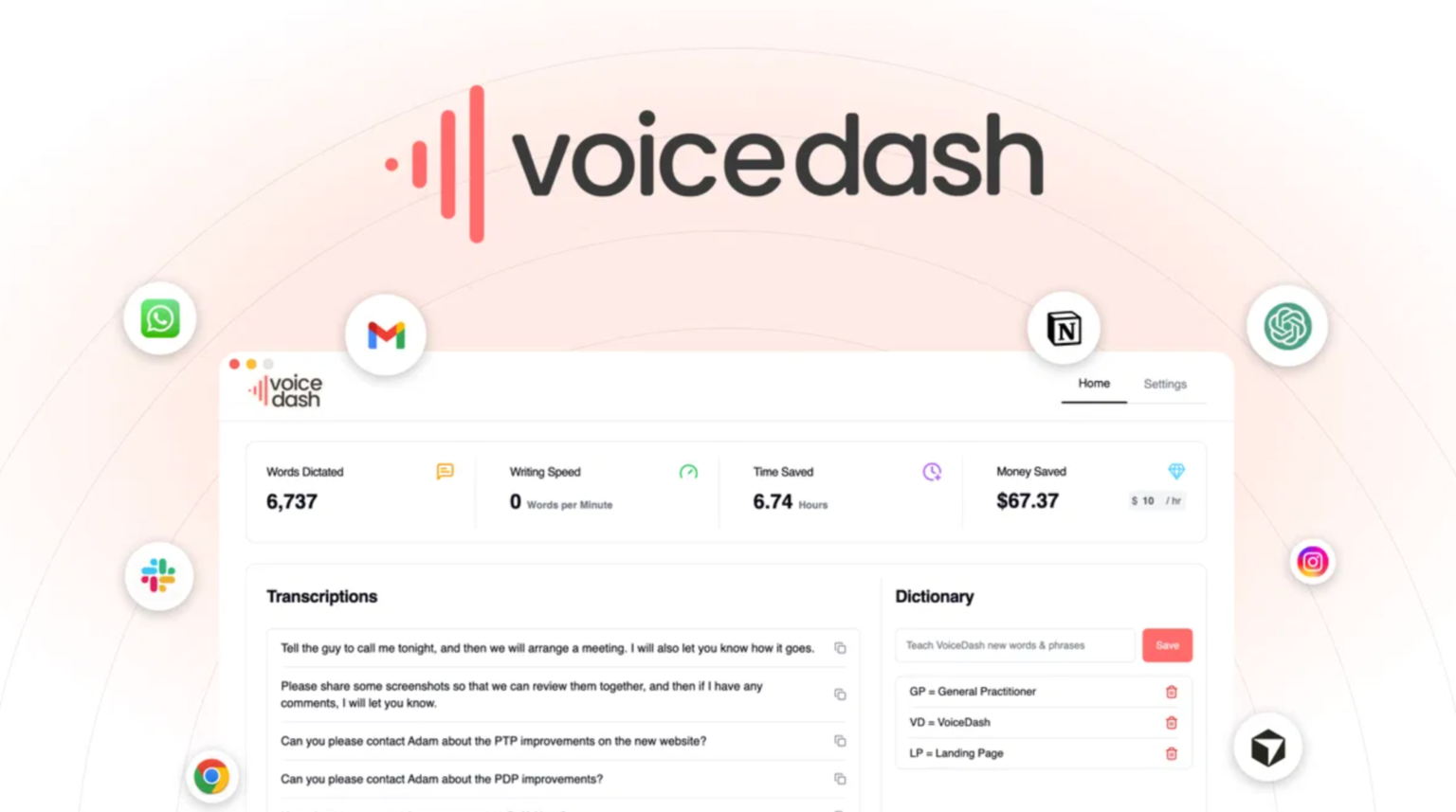
Voicedash is a voice-to-text writing assistant. It converts spoken words into clear written drafts. Users speak naturally into their microphone. The tool transcribes speech in real time. It supports many text fields across websites and apps. It removes common filler words like “um” and “uh.” It also corrects grammar during dictation. This makes drafts clean from the start. Writers can edit the text after speaking. Teams can use it for emails, blogs, or documents. The way I see it, the focus stays on ideas, not typing speed. As far as I know, it runs through a simple interface. A shortcut key launches it quickly. That reminds me of how simple tools often work best. It helps reduce manual typing. It fits daily writing tasks for busy users.
- Voicedash Pros and Cons:
- Voicedash Monthly Pricing:
- Key Features and Capabilities:
- 01. Natural Speech Typing
- 02. Instant Readable Drafts
- 03. Built-in Grammar Polish
- 04. Removes Filler Phrases
- 05. Any Text Field Support
- 06. Quick Launch Shortcut
- 07. Voice-Powered Templates
- 08. Custom Term Library
- 09. Cross-Language Dictation
- 10. Secure Writing Workflow
Voicedash Pros and Cons:
Pros
- Fast voice typing
- Clean readable drafts
- Removes filler words
- Works across text fields
- Custom templates support
Cons
- Depends on stable internet
Voicedash Monthly Pricing:
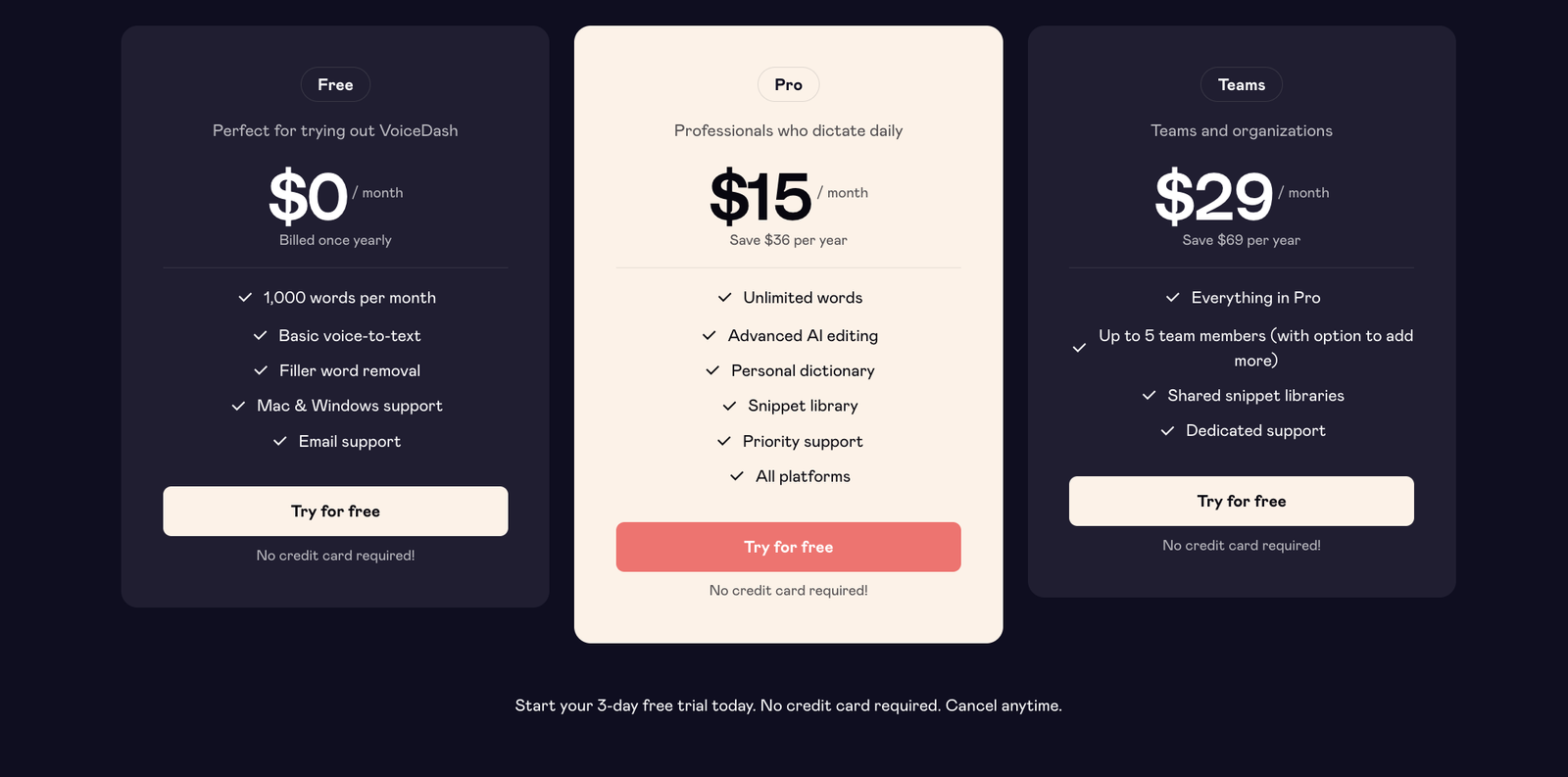
Voicedash offers a tiered monthly cost structure that fits different users. The Free plan costs zero dollars per month and lets you use basic voice typing with a 1,000-word limit each month. Many people use this free tier to try the core features without risk. The Pro plan starts at $15 per month, or $12 per month if you pay yearly, and it removes word limits while adding advanced writing tools like a personal dictionary and priority support. For small teams, the Teams plan costs $29 per month, or $24 per month when billed annually. It includes all Pro features plus shared libraries and team support tools. These options let users choose based on how often they write and whether they work alone or with others.
Key Features and Capabilities:
01. Natural Speech Typing
Natural speech typing forms the core of voicedash. You speak in your normal voice. The system converts speech into text instantly. It recognizes conversational tone. It handles pauses and sentence flow well. I couldn’t help but notice how fast drafts appear. The funny thing is, ideas flow better when speaking. Many users think faster than they type. This feature helps capture thoughts quickly. It reduces hand strain from long typing sessions. Founders can dictate emails in minutes. Marketers can outline campaigns quickly. Students can draft essays faster. The way I see it, speech feels closer to thinking. That reduces friction in writing. The tool processes speech in real time. It displays text without long delay. Come to think of it, that speed changes workflow. It supports continuous dictation. Users stop and edit anytime. That simple flow makes writing less stressful.
02. Instant Readable Drafts
Instant readable drafts save editing time. The system structures spoken words into clean sentences. It adds punctuation automatically. It organizes thoughts into readable format. Guess what, messy voice notes turn into proper text. This helps busy teams. Founders often record ideas quickly. The tool converts those ideas into usable drafts. It reduces the gap between speaking and publishing. I often see writers waste time rewriting rough notes. This feature cuts that extra step. It keeps formatting simple and clear. Emails look professional from the start. Social captions read smoothly. Blog outlines form naturally. As a matter of fact, first drafts often look polished. That reduces heavy editing later. The system supports paragraph structure. It avoids long messy blocks. Let’s face it, clean drafts build confidence. This feature focuses on clarity and speed.
03. Built-in Grammar Polish
Built-in grammar polish works during dictation. The system corrects common grammar errors. It adjusts verb tense and sentence structure. It keeps writing clear and direct. I see what you mean if grammar slows you down. This feature helps avoid that issue. Users speak naturally. The tool cleans small mistakes quietly. It does not interrupt flow. That keeps ideas moving forward. The thing is, grammar fixes often take time. This feature reduces manual correction. It supports professional communication. Emails look clean and correct. Blog drafts need fewer revisions. As far as I know, grammar polish runs automatically. Users do not need separate tools. That reduces extra steps. Long story short, it saves editing time. It keeps writing simple and readable. That matters for global audiences.



04. Removes Filler Phrases
Spoken language includes filler words. Words like “um” and “you know” appear often. This feature removes them automatically. I couldn’t agree more that filler hurts clarity. The system detects common filler phrases. It deletes them from final drafts. That keeps text sharp and direct. Speaking of which, clear writing builds trust. Clean text improves readability. It helps non native readers. The funny thing is, many people overuse filler unconsciously. This tool corrects that habit. It keeps sentences tight. It reduces extra fluff. That reminds me of editing long transcripts manually. This feature saves that effort. It improves professional tone. It keeps writing focused. The way I see it, less noise means a better message. Users can review edits anytime. Control stays in your hands.
05. Any Text Field Support
Any text field support increases flexibility. The tool works across websites and apps. Users dictate inside email clients. It works on social platforms and docs. As I said, switching apps wastes time. This feature reduces context switching. It fits into an existing workflow. Users do not need separate dashboards. The tool connects with browser text areas. That keeps writing simple. I often see teams copy and paste drafts. This feature removes that step. It saves time daily. Come to think of it, workflow matters most. Smooth integration keeps focus on ideas. Founders can answer messages quickly. Marketers can draft posts fast. Students can write assignments easily. That wide support adds practical value. It adapts to normal work habits. It supports consistent productivity.
06. Quick Launch Shortcut
Quick launch shortcut saves seconds each session. Users press a hotkey. The voice input starts instantly. No long navigation steps appear. I hate to say this, but slow tools kill momentum. This shortcut keeps flow smooth. It helps capture sudden ideas. Writers often think of ideas quickly. This feature records them fast. It reduces friction. It supports fast task switching. Let me think, speed shapes productivity. The shortcut works across supported fields. That keeps access simple. It fits the daily workflow. Teams can set preferred keys. This control feels practical. The funny thing is, small features create a big impact. That simple shortcut saves time over weeks. It supports consistent usage. It makes voice typing natural in routine work.
07. Voice-Powered Templates
Voice-powered templates help structure common tasks. Users create custom voice commands. Those commands generate pre-set text formats. That supports repetitive writing tasks. For example, email replies follow a pattern. Templates speed that process. As far as I know, users define their own phrases. The system expands them into full text. That reduces repetitive typing. I often see founders answer similar questions daily. Templates simplify that routine. They maintain a consistent tone. They save energy. The way I see it, structure supports clarity. Teams can build sales scripts. Support teams can create response formats. This feature supports scalability. It helps small teams work faster. Long story short, templates reduce repeated effort.
08. Custom Term Library
Custom term library improves accuracy. Users add specific words or names. The system learns those terms. It recognizes them during dictation. Brand names stay correct. Technical terms stay accurate. I couldn’t help but notice how useful this feels. Many tools miswrite unique words. This feature fixes that issue. It supports niche industries. Agencies can add client names. Tech teams can add product terms. That reduces correction time. The thing is, accuracy builds trust. Clean text avoids confusion. This library keeps writing consistent. Users manage terms easily. They update them anytime. That flexible control helps long term use.
09. Cross-Language Dictation
Cross-language dictation supports multiple languages. Users can speak in supported languages. The tool transcribes accordingly. This helps global teams. It supports diverse communication needs. Speaking of which, many founders work across regions. This feature helps bridge language gaps. It reduces translation friction. Users switch languages when needed. That supports international writing tasks. I see your point, but language accuracy matters. The system focuses on clear transcription. It improves accessibility for global users. It fits remote teams. That wide support expands usability. It helps multilingual creators work smoothly.
10. Secure Writing Workflow
Secure writing workflow protects user data. The tool processes voice input carefully. It follows standard security practices. As far as I know, privacy remains a priority. Users control their content. Sensitive drafts stay protected. This matters for business communication. Teams share private data often. The thing is, trust drives adoption. This feature supports professional use. It fits agencies and startups. It reduces concern about draft safety. Let’s put it this way, security builds confidence. That confidence encourages daily usage.
voicedash focuses on speed and clarity in daily writing. It reduces typing effort and supports steady workflow. I often see founders lose time in small writing tasks. Emails, updates, captions, and notes take hours. This tool cuts that time with voice input. The built-in grammar polish keeps drafts clean. Filler removal improves clarity. Custom templates reduce repeated work. Cross-language support helps global teams. The shortcut key keeps the process fast.
To be honest, no tool fits everyone. Users still need clear speech. Background noise can affect accuracy. Stable internet also matters. That being said, most modern teams work online already.
All things considered, the lifetime deal makes sense for frequent writers. One payment covers long-term use. Subscription plans suit short-term users. The way I see it, people who write daily gain the most value. At the end of the day, the voice feels natural. This tool turns natural speech into structured writing without extra steps.