Static images can do a lot, but motion is what makes people pause, watch, and remember. That is why so many creators, marketers, and small business owners are searching for how to make free image to video AI. The good news is that the process is no longer complicated. You do not need advanced editing skills or expensive software to turn a still image into a short, eye-catching video.
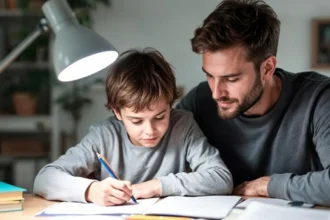
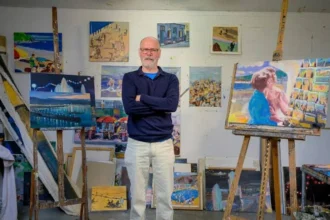
The first step is choosing the right image. AI works best when the subject is clear and easy to recognize. A portrait with good lighting, a product photo with a clean background, or a landscape with a strong focal point usually performs better than a blurry or crowded image. If the visual is too messy, the AI may struggle to understand what should move and what should stay stable.
Once you have a strong image, the next step is writing a useful prompt. This is where many beginners go wrong. A vague request like “make this move” often leads to generic results. Instead, describe the motion you want in a simple but specific way. For example, you can say “slow camera push-in, soft wind moving the hair, warm sunset lighting, natural cinematic motion.” Good prompts usually cover three things: subject movement, camera movement, and mood. That gives the AI enough direction without making the output feel forced.
If you want to make free image to video with AI, it is also important to understand what “free” usually means. In most cases, it does not mean unlimited use. It means free credits, a trial, or a few test generations so you can experiment before paying. That is often enough for learning the workflow and creating a few solid clips. One practical option is Nereo Image to Video, which gives new users a free way to test image-to-video creation and compare different leading AI video models in one place. That can be especially helpful when one image looks better with realistic motion while another works better with a more stylized look.
After that, upload your image, choose the right format, and generate your first draft. Vertical video is usually best for TikTok, Instagram Reels, and YouTube Shorts, while horizontal works better for websites or standard video platforms. Keep your first generation simple. Ask for one clear movement instead of trying to animate everything at once. A person turning slightly, fabric moving in the breeze, or a gentle zoom often looks more natural than an overly dramatic scene.
The final step is refinement. Most good AI videos are not perfect on the first try. Small prompt changes can make a big difference. If the motion feels unnatural, ask for “subtle movement” or “steady camera.” If the image loses detail, add “preserve facial features” or “maintain original composition.” Treat the first result as a draft, not the final version.
In the end, learning how to make free image to video with AI is really about combining a strong source image, a clear motion prompt, and a tool that lets you experiment without much risk. Start simple, test a few variations, and pay attention to what works. That is usually how the most impressive AI videos begin.