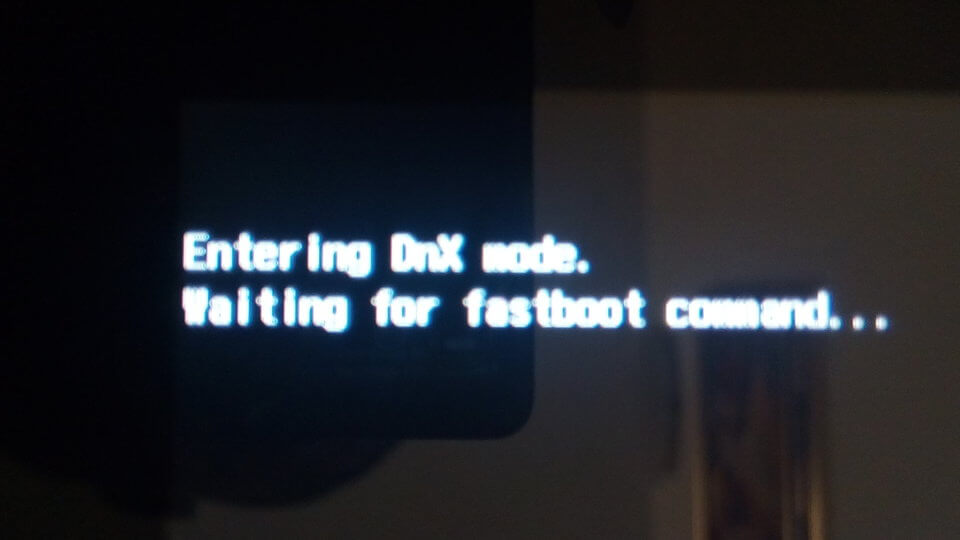
Introduction to DNX Fastboot Mode
Have you ever found yourself staring at a screen that reads “DNX Fastboot Mode”? If so, you’re not alone. This mysterious mode can leave many users scratching their heads, wondering what it means and why their device is stuck in limbo. DNX Fastboot Mode isn’t just a random glitch; it’s a crucial part of your device’s functioning, especially when it comes to flashing firmware or recovering from software issues. Understanding this feature can empower you to tackle problems head-on instead of feeling lost in the tech wilderness.
In this guide, we’ll break down everything you need to know about DNX Fastboot Mode—what triggers it, how to exit gracefully when things go awry, and tips for keeping your data safe while navigating through this tricky terrain. Whether you’re tech-savvy or still learning the ropes, we’ve got something for everyone! Let’s dive into the world of DNX Fastboot Mode together.
What Causes a Device to Enter DNX Fastboot Mode?
Several factors can trigger a device to enter DNX Fastboot Mode. One common cause is a software failure during an update or installation. When the system encounters errors, it may automatically switch to this mode.
Hardware issues can also play a role. If there’s damage to the device’s components, it might misinterpret signals and boot into Fastboot as a safety measure.
Additionally, user actions like pressing the wrong button combinations during startup can inadvertently lead to this mode. Some users seek fast recovery options for troubleshooting, prompting them to access DNX Fastboot intentionally.
In some cases, custom ROM installations or modifications may conflict with existing firmware. This could force the device into Fastboot as part of its error handling protocol.
Understanding these triggers helps in diagnosing problems effectively when your device unexpectedly enters DNX Fastboot Mode.
How to Exit DNX Fastboot Mode
To exit DNX Fastboot Mode, start by powering off your device completely. Press and hold the power button until it shuts down.



Once the device is off, wait a few seconds. This brief pause can help reset any temporary glitches causing the issue.
Next, press and hold the power button again to turn it back on. If successful, your device should boot normally.
If it remains stuck in fastboot mode, try using a combination of buttons specific to your model. For many devices, pressing both the volume up and power buttons simultaneously can do the trick.
For some users, connecting their phone to a computer with appropriate software might be necessary. Follow on-screen prompts carefully for effective results.
Don’t forget to check if there are firmware updates available after exiting fastboot mode; they may prevent this from happening again in future use.
Solutions for Common Issues with DNX Fastboot Mode
If you find your device stuck in DNX Fastboot Mode, several solutions can help resolve the issue. First, try performing a simple reboot. Hold down the power button for about 10-15 seconds until the device restarts.
Another method involves using recovery mode. Accessing this often allows users to perform a factory reset or wipe cache partition, which can clear up any software glitches causing the fastboot loop.
If these steps fail, consider using ADB (Android Debug Bridge) commands on your computer. This tool provides advanced options for managing devices and may allow you to exit fastboot mode effectively.
For more persistent issues, flashing stock firmware could be necessary. Ensure you have compatible files before proceeding with this solution to avoid additional complications. Each of these approaches offers avenues for fixing common problems associated with DNX Fastboot Mode without extensive technical knowledge.
Safety Tips When Dealing with DNX Fastboot Mode
Handling DNX Fastboot Mode requires caution. Always ensure that your device is adequately charged before attempting any operations. A sudden power loss during critical processes can lead to severe issues.
Make backups of important data. Although entering this mode typically preserves files, it’s better to be safe than sorry.
Use official tools and software for flashing or modifying firmware. Unverified programs may cause more harm than good.
Keep the environment stable while working on your device. Avoid interruptions like notifications or unexpected calls that could distract you during sensitive procedures.
Take your time and read instructions carefully. Rushing through can lead to mistakes that might complicate matters further.
Benefits of Using DNX Fastboot Mode
Utilizing DNX Fastboot Mode can streamline various processes on your device. It provides a fast and efficient way to flash firmware updates. This is especially useful for users looking to enhance their system performance or install custom ROMs.
Another key advantage is troubleshooting. If your device faces critical issues, entering this mode allows you to access recovery tools quickly. You can perform diagnostics without extensive procedures.
Additionally, DNX Fastboot Mode enables developers to test applications in a controlled environment. This feature accelerates app development cycles by allowing instant deployment and debugging directly on the hardware.
In cases of boot loops or unresponsive systems, this mode acts as a safety net. It helps restore functionality with minimal hassle while ensuring that data integrity remains intact during the process.
Conclusion
Understanding DNX Fastboot Mode can be crucial for anyone experiencing issues with their device. This mode, although potentially frustrating, serves a purpose in the broader context of device management and recovery. Recognizing the causes that lead to this state is the first step toward resolution.
If your device does enter DNX Fastboot Mode, knowing how to exit it effectively can save you time and stress. The solutions provided should assist in addressing common problems associated with this mode while minimizing any risks involved.
Adhering to safety tips when dealing with DNX Fastboot Mode ensures that you protect both your data and your device’s integrity. It’s always wise to take precautions during these processes.
The benefits of using DNX Fastboot Mode shouldn’t be overlooked either; it can provide powerful options for troubleshooting and restoring devices when needed. For those who find themselves encountering this situation often, being informed is key.
With awareness and preparation, navigating through DNX Fastboot Mode becomes less daunting. Whether you’re a tech novice or experienced user, maintaining knowledge about such modes enhances efficiency in managing devices.