For content creators, small business owners, and freelancers, video content is no longer a “nice-to-have”—it’s a necessity. But the barriers to entry are real: complex editing tools, sky-high production costs, and a steep learning curve that eats into time and resources. That’s where Sora 2 Video Generator comes in. This AI-powered tool isn’t just a video maker; it’s a workflow disruptor, turning ideas into cinematic videos in minutes, without the need for professional skills or expensive equipment.
In this guide, we’ll walk through the ins and outs of Sora 2 AI Video Generator, share the most common mistakes beginners make, and show how to leverage its native audio integration to create high-quality content that drives engagement—all while keeping costs low and workflows streamlined. Whether you’re a blogger looking to add video clips to your content, a small business owner promoting a product, or a freelancer building a portfolio, this guide will help you master Sora 2 from day one.
What is Sora 2 Video Generator?
The Basics: What Sets Sora 2 Apart?
Sora 2 Video Generator is a cloud-based AI tool designed for creators who want to produce professional-looking videos without the hassle of traditional video production. Its core strength lies in its ability to transform text prompts into cinematic videos, with native integration of audio, sound effects, and natural dialogue. Unlike other AI video tools that require separate software for audio editing, Sora 2’s seamless audio integration means you can create a complete video in one platform—from concept to final output.
What makes Sora 2 stand out is its focus on simplicity. The tool uses cutting-edge AI models to generate videos that look realistic and polished, even for users with no prior video editing experience. Whether you’re creating a social media clip, a product demo, or a marketing video, Sora 2’s intuitive interface makes the process accessible to everyone.
Who Should Use Sora 2?
Sora 2 is built for three types of users:
- Content Creators: Bloggers, YouTubers, and social media managers who need to produce high-quality videos quickly to keep up with audience demand.
- Small Business Owners: Entrepreneurs who want to create product demos, customer testimonials, or marketing videos but can’t afford to hire a video production team.
- Freelancers: Designers, writers, and marketers who need to add video content to their portfolios but lack the time or resources to learn complex editing tools.
Getting Started with Sora 2: A Step-by-Step Workflow
One of the biggest pain points for beginners is the fear of complexity. But with Sora 2, the process is straightforward—no technical skills required. Here’s a step-by-step guide to creating your first video:
Step 1: Define Your Video Concept
Before you start, clarify what you want to create. Are you making a product demo, a story, a tutorial, or a promotional video? The clearer your concept, the better your video will turn out. For example, if you’re creating a product demo, outline the key features you want to highlight. If you’re making a story, sketch out the plot and characters.



Step 2: Craft a Detailed Prompt
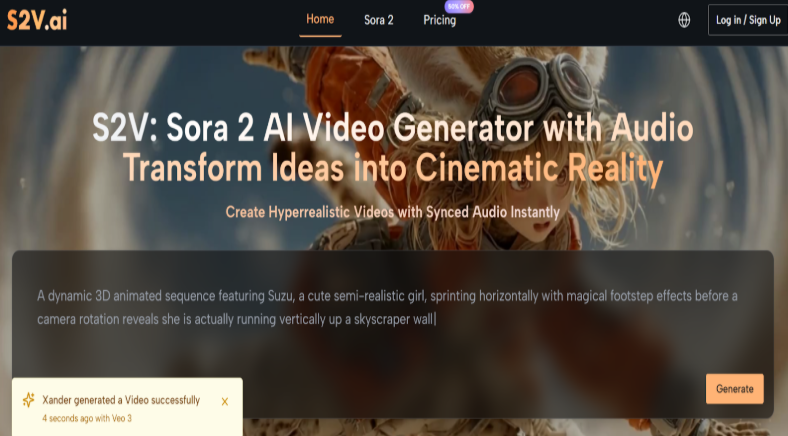
Sora 2’s power comes from its ability to interpret text prompts. The key to a great video is a detailed prompt that includes specific details about the scene, characters, lighting, and tone. Avoid vague prompts like “a video about a coffee shop.” Instead, use a prompt like: “A cozy coffee shop at sunrise, with a barista pouring coffee into a ceramic mug, sunlight streaming through the window, warm tones, soft music, natural dialogue between the barista and a customer.”
Step 3: Choose Your Audio Settings
Sora 2’s native audio integration is a game-changer. When creating your video, you can choose from a library of sound effects, background music, and voiceovers. For a coffee shop video, you might want to add soft jazz music, the sound of a coffee machine, and natural dialogue between characters. Sora 2’s audio tools let you adjust the volume, trim clips, and sync audio to the video.
Step 4: Generate the Video
Once you’ve crafted your prompt and set your audio settings, click “Generate” and let Sora 2 do its magic. The tool uses AI to generate the video in minutes, with realistic movements, lighting, and sound. You can preview the video as it’s being generated and make adjustments to the prompt or audio settings if needed.
Step 5: Edit and Export
After the video is generated, you can use Sora 2’s simple editing tools to trim clips, add text overlays, or adjust the color. Once you’re happy with the final product, export it in your preferred format (MP4, MOV, etc.) and share it on social media, your website, or any other platform.
Real-World Usage Scenarios
Scenario 1: Small Business Product Demo
A small business owner selling handmade jewelry wants to create a product demo video. They use Sora 2 to create a video that shows the jewelry being worn by a model, with close-up shots of the details and a voiceover explaining the materials and craftsmanship. The video is created in just 10 minutes, and it’s added to the business’s website and social media accounts. The result is a video that showcases the product’s quality and craftsmanship, and it drives sales.
Scenario 2: Content Creator Tutorial
A blogger who writes about travel wants to create a tutorial video about how to take great photos while traveling. They use Sora 2 to create a video that shows them taking photos in different locations, with tips and tricks for each shot. The video is created in just 5 minutes, and it’s added to the blogger’s website and YouTube channel. The result is a video that provides value to the audience and helps the blogger build their brand.
Scenario 3: Freelancer Portfolio
A freelance writer who wants to build a portfolio of video content uses Sora 2 to create a video that showcases their writing skills. They use the tool to create a video that tells a story, with natural dialogue and sound effects. The video is created in just 15 minutes, and it’s added to the writer’s portfolio. The result is a video that demonstrates the writer’s ability to create engaging content, and it helps them land new clients.
Conclusion
Sora 2 Video Generator is a powerful tool that’s transforming the way content creators, small business owners, and freelancers create video content. It’s affordable, easy to use, and produces high-quality videos that drive engagement. By following the step-by-step workflow and avoiding the common mistakes outlined in this guide, you can master Sora 2 and create professional-looking videos in minutes.
If you’re looking to streamline your video production workflow and create high-quality content without the hassle, Sora 2 is the tool for you. Start creating today, and see how it can help you save time, money, and resources.