The rapid decentralization of the workforce has forced organizations to rethink their entire security posture. In the traditional model, data stayed within the fortress of the office building, protected by layers of physical security and a hardened network perimeter. Today, that fortress is empty. Intellectual property, financial records, and customer data are accessed from home offices, coffee shops, and airports. This shift has turned remote connectivity into the new front line of cyber defense.
Maintaining the integrity of this dispersed network is not just about establishing a connection; it is about governing that connection with absolute precision. Security leaders must implement strategies that ensure access is granted only to the right people, using the right devices, under the right conditions. By layering rigorous identity verification, device health checks, and comprehensive auditing, businesses can empower their workforce to work from anywhere without compromising the sensitive data that drives their success.
The Principle of Data Sovereignty
One of the most effective ways to secure data is to ensure it never actually moves. In many remote work setups, employees download files to their personal laptops to work on them, creating a massive “shadow IT” problem. If that personal laptop is lost, stolen, or infected with malware, the corporate data it holds is compromised.
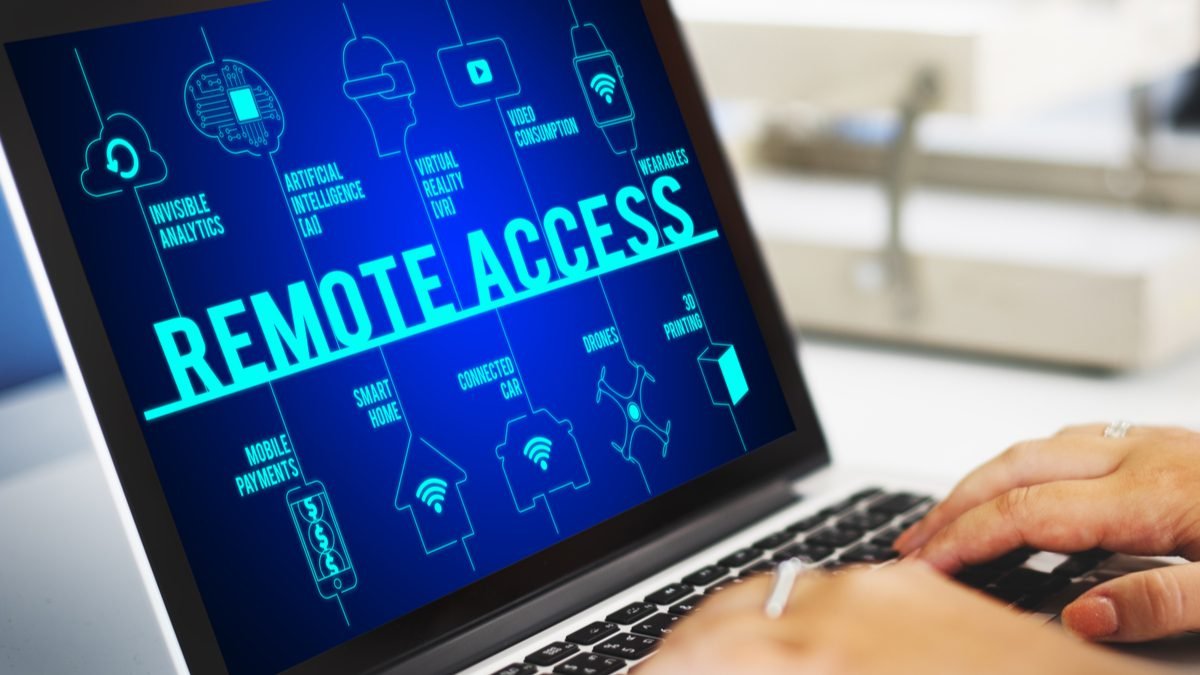
The superior approach is to treat the remote device merely as a viewing portal. By utilizing high-performance remote access software for secure data access, organizations can ensure that employees are streaming the visual output of the data rather than the data itself. The sensitive files-whether they are financial spreadsheets, patient records, or proprietary code-remain safely locked on the office workstation or server. The remote worker can edit, manipulate, and create, but the bits and bytes of the actual files never traverse the internet to reside on an unmanaged hard drive. This concept of keeping data “at rest” within the secure perimeter while making it “usable” from anywhere is the cornerstone of modern data sovereignty.
Adopting a Zero Trust Architecture
The most critical step in securing remote access is a philosophical one: adopting a Zero Trust architecture. The old model of “trust but verify” is obsolete. In that model, once a user connected via VPN, they were often considered “inside” the network and given broad freedom to move laterally. This allowed attackers who stole a single credential to scan the entire network and deploy ransomware.
Zero Trust operates on the principle of “never trust, always verify.” According to the NIST Guide to Enterprise Telework (SP 800-46), organizations should assume that external environments contain hostile threats and that no device or user should be trusted by default, regardless of their location. In this environment, a user connecting from the CEO’s office is treated with the same scrutiny as a user connecting from a public library. Every single access request is evaluated on its own merit. Trust is not static; it is dynamic and must be re-earned with every click. This ensures that even if an attacker breaches the perimeter, they are contained within a micro-segment, unable to reach the organization’s crown jewels.
Identity Is the New Perimeter
When the network boundary dissolves, identity becomes the primary control point. Relying solely on a username and password is a guarantee of failure. Credentials are the most targeted asset in the cybercriminal underground, easily harvested through phishing campaigns or database leaks.
To combat this, robust authentication protocols are non-negotiable. Multi-Factor Authentication (MFA) must be enforced for every session. This requires the user to present a second form of verification as a push notification to a trusted mobile device or a biometric scan-before access is granted. Furthermore, integrating Single Sign-On (SSO) streamlines this process. SSO allows IT teams to centrally manage identities. If an employee leaves the company, administrators can revoke their access to all applications instantly from a single dashboard, preventing the dangerous “zombie accounts” that often serve as backdoors for hackers.

Validating Device Health and Posture
Verifying who is connecting is only half the battle; you must also verify what they are connecting with. A legitimate user connecting from a compromised device is a direct pipeline for malware. In a Bring Your Own Device (BYOD) world, where employees often use personal laptops, ensuring endpoint hygiene is critical.
Advanced remote access solutions incorporate “device posture checks.” Before a connection is established, the software scans the endpoint to ensure it meets specific security criteria.
- Is the operating system patched to the latest version?
- Is the antivirus software active and up to date?
- Is disk encryption enabled?
If the device fails any of these checks, access is denied or restricted to a “remediation VLAN” where the user can fix the issue. This prevents an infected home computer from bridging a connection to the secure corporate server, effectively neutralizing the risk posed by unmanaged devices.
The Principle of Least Privilege
Granting blanket access is a recipe for disaster. A marketing intern does not need access to the engineering code repository, and a contractor does not need to see HR records. Security policies should be built on the Principle of Least Privilege (PoLP).
Modern remote access tools allow administrators to define granular access rules. Users are granted visibility only to the specific applications and servers required for their role. This minimizes the “blast radius” of any potential security incident. If a user’s account is compromised, the attacker finds themselves in a silo, unable to move laterally to high-value targets. This granular control is essential for maintaining compliance with regulations like HIPAA and PCI-DSS, which mandate strict segregation of duties and data access.
Continuous Monitoring and Auditing
You cannot secure what you cannot see. In a distributed environment, visibility often suffers. To maintain security, IT teams need a centralized view of all remote activity. Comprehensive logging is essential for both real-time threat detection and post-incident forensics.
Remote access platforms should capture detailed audit trails: who logged in, from what IP address, at what time, and what files were transferred. As emphasized in CISA’s guidance on securing remote access, maintaining detailed logs is crucial for detecting anomalous behavior, such as a user logging in at 3 AM from an unrecognized location, which could signal a compromised account. Advanced systems can even record sessions for visual auditing, providing irrefutable evidence of user activity for compliance reviews.
Conclusion
Securing data in a remote access environment is a dynamic challenge that requires a multi-layered approach. It is no longer enough to simply open a tunnel and hope for the best. By adopting a Zero Trust mindset, rigorously verifying identities and devices, and ensuring that data remains centrally stored rather than locally downloaded, organizations can protect their most valuable assets. This proactive stance transforms remote access from a vulnerability into a strategic advantage, allowing the business to operate with speed and agility in an unpredictable world.
Frequently Asked Questions (FAQ)
- What is a “device posture check” in remote access? A device posture check is a security scan that happens before a user is allowed to connect. The system checks the user’s computer to ensure it is safe, verifying that antivirus is installed, the firewall is on, and the operating system is up to date. If the computer is unsafe, the connection is blocked.
- Why is “data in transit” encryption important? When you work remotely, your data travels over the internet, sometimes through insecure public Wi-Fi. Encryption scrambles this data so that even if a hacker intercepts it, they cannot read it. It ensures that your passwords and files remain private while they move between your laptop and the office.
- Can remote access software help with compliance (like GDPR or HIPAA)? Yes. Enterprise-grade remote access software helps meet compliance rules by keeping data on the secure office server (instead of letting users download it to personal devices) and by keeping detailed logs of exactly who accessed which computer and when.