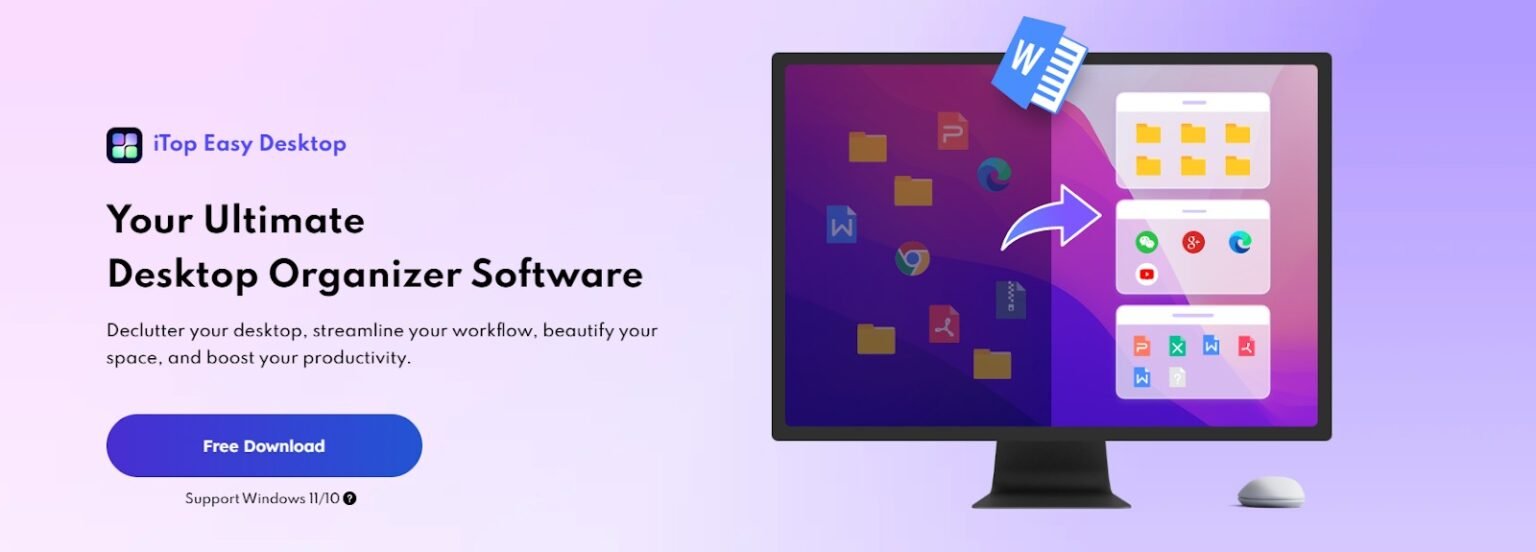
For many of us, the computer desktop is our digital home base. A cluttered desktop can drain productivity and creativity, making it difficult to focus and find what you need quickly. Whether you’re juggling multiple work projects, managing personal files, or switching between gaming setups, staying organized is essential to maintaining efficiency and peace of mind. iTop Easy Desktop is designed to transform digital chaos into clarity by offering customizable workspaces that adapt to your unique needs. This tool not only tidies up your desktop but also enhances your overall computing experience by making navigation smoother and more intuitive.
- Step 1: Download & Install
- Step 2: Auto‑Organize
- Step 3: Customize Workspaces
- Step 4: Personalization
- Step 5: Save Layouts
- ● 1-Click Auto-Organization
- ● Easy of Use
- For professionals handling sensitive data or students storing assignments, this feature adds confidence and ease of use. It keeps important information secure while still organized, blending productivity with privacy.
- ● Accessibility
- Who Should Use iTop Easy Desktop
- ● Professionals Managing Multiple Projects
- ● Students Organizing Study Materials
- ● Gamers Separating Entertainment from Work
If you’ve ever felt overwhelmed by your digital workspace, it’s time to move beyond the limitations of Windows and embrace iTop Easy Desktop.
What is iTop Easy Desktop
iTop Easy Desktop is a powerful desktop organizer tailored for Windows users. It intelligently declutters your desktop icons, groups files into meaningful categories, and beautifies your workspace with a vast selection of dynamic wallpapers. By simplifying the way you interact with your desktop, it helps reduce distractions and boosts your productivity. Whether you’re a professional managing complex projects or a casual user wanting a cleaner interface, this software offers a versatile solution to keep your digital environment neat and inspiring.
Standout Features for a Smarter Workspace
The latest version of iTop Easy Desktop offers much more than just icon grouping. It provides:
- One Click Auto‑Organization: With just a single click, the software automatically sorts your desktop icons into customizable boxes such as Documents, Images, and Apps. This feature saves you the hassle of manual sorting and instantly creates a tidy workspace.
- Multiple Workspaces: Create and switch between separate desktop layouts tailored for different purposes—whether it’s work, gaming, or personal use. This flexibility allows you to maintain focus by keeping relevant files and shortcuts accessible depending on your current task.
- Search Bar: Quickly locate any file or application without having to sift through cluttered icons. The integrated search bar scans your desktop instantly, making file retrieval effortless.
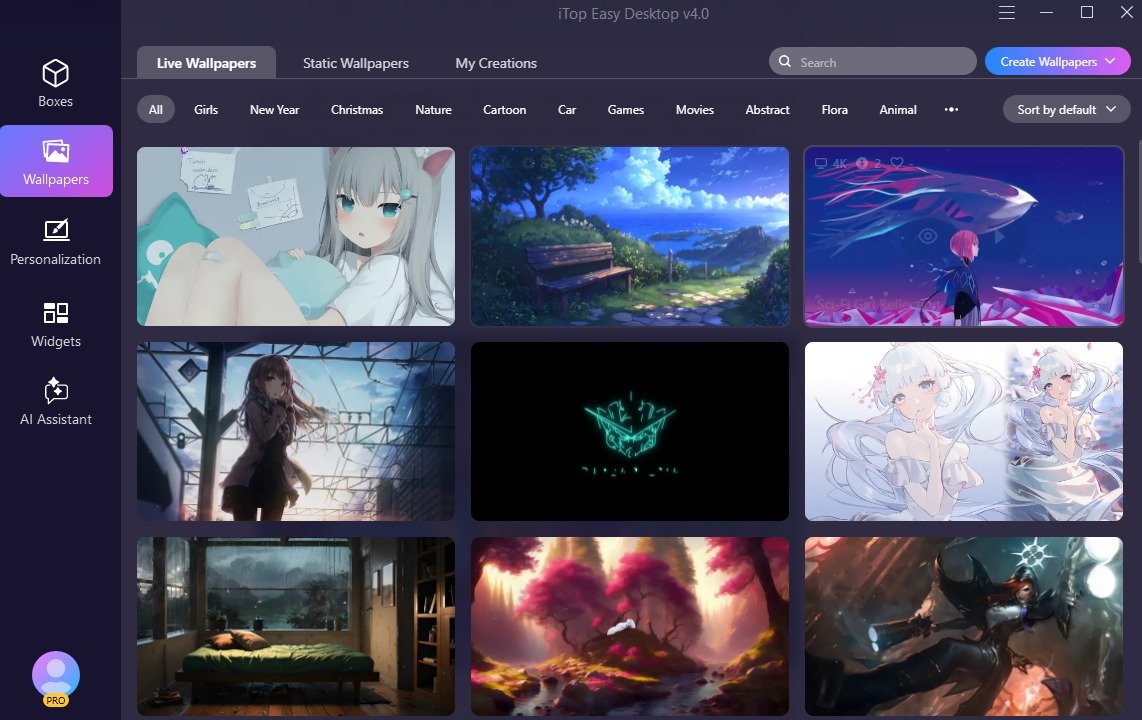
- Customization: Immerse yourself in a dynamic visual universe with iTop Easy Desktop’s ever-growing collection of 20,000+ stunning wallpapers. Whether you choose ultra-smooth, high-definition live wallpapers or crystal-clear static ones. Each image and video is optimized for breathtaking clarity, delivering flawless 4K and 8K resolution for a picture-perfect display on any modern monitor
- Private Box: Secure sensitive files in a password-protected private box, ensuring your confidential information stays safe from prying eyes.
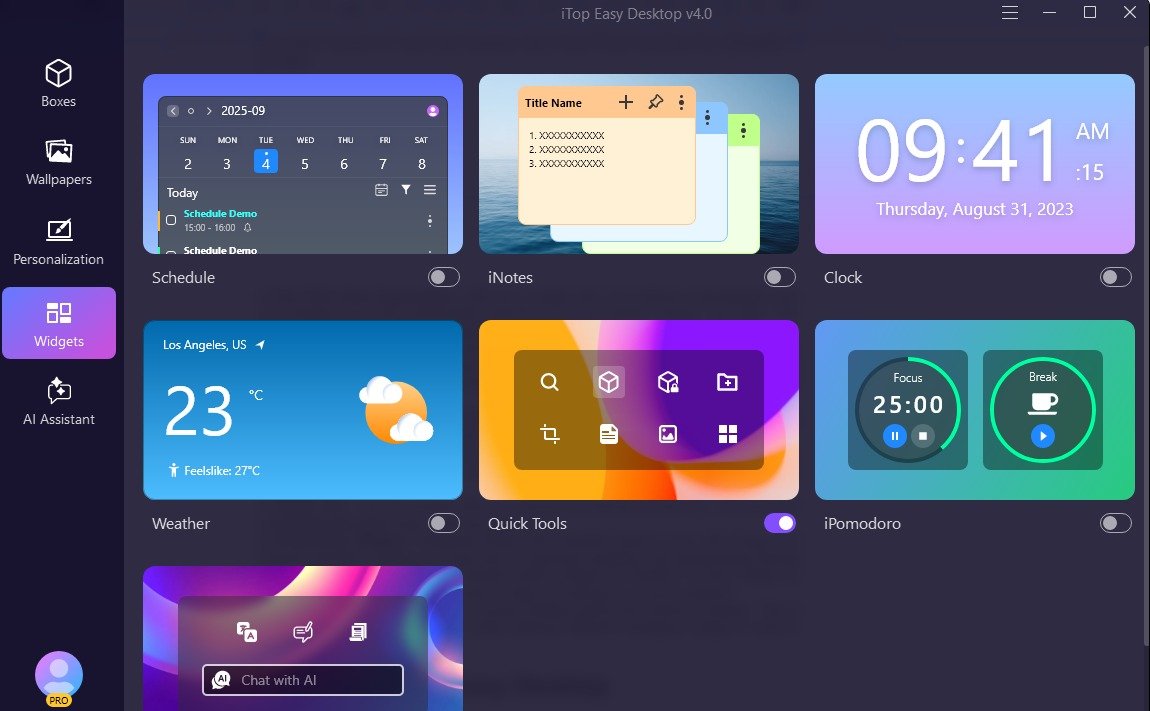
- Productivity Widgets: Integrated iNotes and Schedule features sync with Google and Outlook calendars, helping you keep track of important deadlines and appointments directly from your desktop. The software includes built-in widgets for Weather, a Clock, iNotes for quick thoughts, and an iPomodoro timer to help you manage your focus sessions.
- Snapshot & Backup: Save your current desktop layout and restore it anytime. This is especially useful if you frequently switch between different workspace setups or need to recover from accidental changes.
How to Use iTop Easy Desktop
Step 1: Download & Install
Start by downloading from the iTop official site. The installation is quick, and once launched, you’ll be greeted with a clean, intuitive interface that makes organization effortless.
Step 2: Auto‑Organize
Use the one‑click auto‑organization feature to instantly group scattered files into neat boxes. Documents, images, and apps fall into place, giving your desktop a fresh, clutter‑free look.



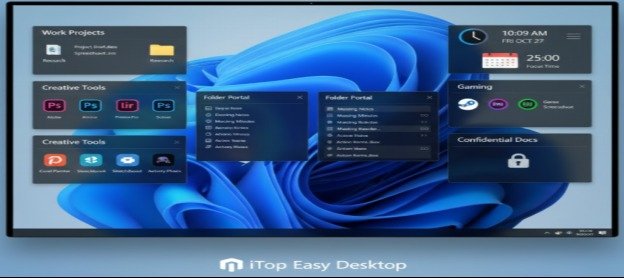
Step 3: Customize Workspaces
Create distinct boxes for urgent tasks, gaming, client projects, or personal files. Each workspace can be tailored to your daily routine, helping you switch focus without losing track.
Step 4: Personalization
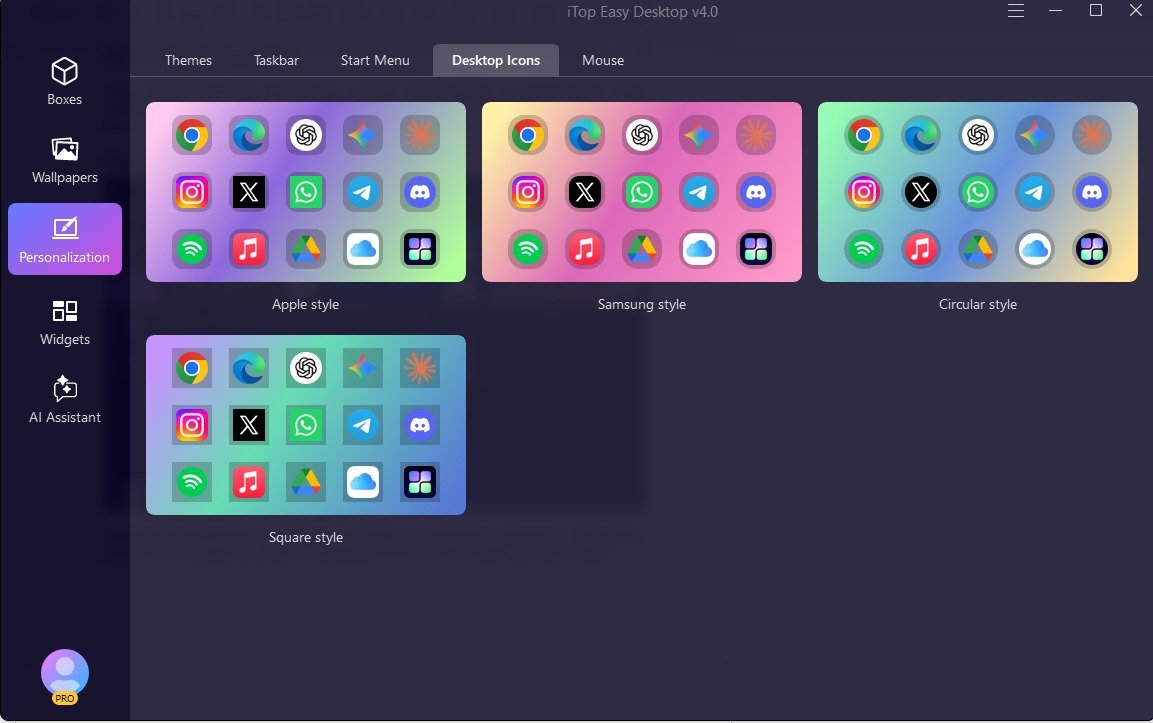
Choose from thousands of wallpapers to refresh your desktop’s appearance. Redesign and streamline your Windows Start Menu layout for quicker access to apps and a more modern, organized interface. Personalize icons and cursor styles to create an inspiring environment that reflects your personality.
Step 5: Save Layouts
Use the snapshot and backup features to preserve multiple workspace setups. Switching between layouts is seamless, letting you adapt instantly to work, study, or leisure.
Why to Use iTop Easy Desktop
● 1-Click Auto-Organization
Instantly bring order to your desktop: automatically group your icons into customizable categories (e.g., Work, Personal, Projects) with just one click.
● Easy of Use
For professionals handling sensitive data or students storing assignments, this feature adds confidence and ease of use. It keeps important information secure while still organized, blending productivity with privacy.
● Accessibility
The Private Box is password‑protected, meaning only you can unlock it. Even if you share your computer, your private workspace stays secure, giving you complete control over access.
Who Should Use iTop Easy Desktop
● Professionals Managing Multiple Projects
For professionals juggling deadlines, client files, and presentations, iTop Easy Desktop becomes a lifesaver. It allows them to create separate workspaces for each project, keeping everything organized and easy to access. No more wasting time searching through cluttered desktops—everything is neatly grouped, boosting efficiency and focus.
● Students Organizing Study Materials
Students often deal with multiple subjects and assignments at once. With iTop Easy Desktop, they can create dedicated boxes for each subject, store notes, and manage deadlines. This structured approach helps them stay focused, manage time better, and reduce stress during exams.
● Gamers Separating Entertainment from Work
Gamers love a clean setup, but mixing work files with game shortcuts can be frustrating. iTop Easy Desktop lets them build a dedicated gaming workspace, separate from school or office tasks. Switching between fun and productivity becomes seamless, keeping both worlds balanced.
Conclusion
iTop Easy Desktop empowers users to reclaim control over their digital environment. By enabling the creation of multiple customized workspaces, it helps enhance focus, boost efficiency, and spark creativity. Whether you’re tackling complex projects or simply want a more enjoyable desktop experience, this tool offers a practical and elegant solution to declutter and conquer your digital life.