Is a Sub-60g Mouse the Key to Better Gaming Performance?
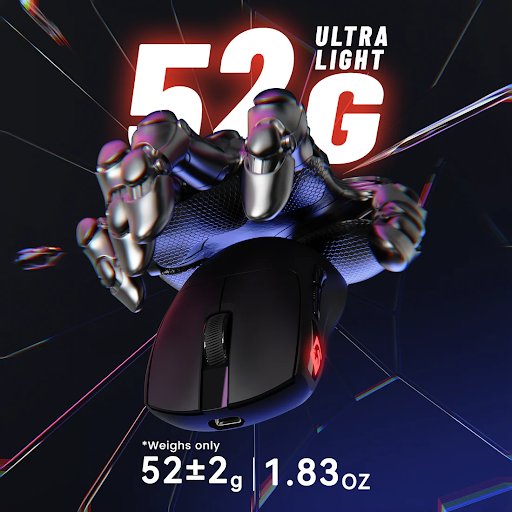
In the world of competitive gaming, every millisecond matters. A single flick, a micro-adjustment, or a split-second reaction can determine whether you secure the kill or end up spectating. As players push the boundaries of human performance, they’re increasingly turning their attention to one often-overlooked variable: the weight of their mouse. The sub-60g gaming mouse has emerged as one of the most talked-about innovations in the peripheral space, promising faster aim, sharper precision, and less physical strain during marathon sessions.
- The Evolution of Gaming Mice: Embracing the Ultralight Revolution
- Unlocking Precision: How a Lightweight Gaming Mouse Enhances FPS Gameplay
- Combating Fatigue: The Ergonomic Advantage of an Ultralight Mouse
- Choosing and Optimizing Your Sub-60g Gaming Mouse: A Step-by-Step Guide
- Step 1: Assessing Your Needs – Grip Style, Hand Size, and Game Genre
- Step 2: Evaluating Key Features – Sensor, Build Quality, and Cable
- Step 3: The Setup Process – Software Calibration and Sensitivity Tuning
- Step 4: Adaptation and Practice Techniques
- Why Going Ultralight Is Your Simplest Competitive Edge
Gaming mice have undergone a dramatic transformation over the past two decades. What once were heavy, bulky devices packed with unnecessary features have given way to sleek, ultralight designs engineered for pure performance. This shift didn’t happen overnight—it was driven by the demands of professional esports and a growing community of players who recognized that lighter could mean better. But is a sub-60g mouse truly the key to unlocking your next level of gameplay? This article explores the science behind ultralight design, examines its real-world benefits for aim and endurance, and provides a practical guide for gamers ready to make the switch to a lightweight gaming mouse.
The Evolution of Gaming Mice: Embracing the Ultralight Revolution
The gaming mouse has traveled a remarkable journey from its origins as a clunky, utilitarian input device to today’s precision-engineered ultralight instruments. In the early 2000s, gaming mice routinely weighed over 100 grams, with manufacturers often adding removable weights under the assumption that heavier meant more stable. These devices prioritized sensor accuracy and button counts over ergonomic efficiency, and for years, players simply accepted the extra heft as part of the experience. The ultralight revolution didn’t gain serious momentum until professional esports players began questioning every variable that could give them an edge, and mouse weight quickly rose to the top of that list.
From Bulky Beginnings to Cutting-Edge Design
Early gaming mice were designed with durability and feature density in mind. Thick plastic shells, heavy scroll wheels, and internal weight systems were standard, resulting in devices that often exceeded 120 grams. The shift began when esports organizations started analyzing player performance data and noticed that top-tier aimers gravitated toward lighter peripherals. The introduction of honeycomb shell designs around 2019 marked a watershed moment, proving that manufacturers could strip significant weight without sacrificing structural integrity. These milestone products demonstrated that a gaming mouse could dip below 70 grams—and eventually below 60—while maintaining the responsiveness and build quality competitive players demanded. The community embraced the trend rapidly, and ultralight mouse designs became the new standard rather than a niche curiosity.
Why 60 Grams Became the New Benchmark
The 60-gram threshold emerged as a meaningful benchmark rooted in both physics and practical testing. When you move a mouse, you’re overcoming inertia—the resistance an object has to changes in motion. Reducing mass directly reduces the force required to start, stop, and redirect movement. Below 60 grams, many players report a qualitative shift in how the mouse feels: it begins to seem almost weightless, responding to intention rather than effort. The gaming community and peripheral reviewers adopted this number as shorthand for “truly ultralight,” separating serious performance tools from merely lightweight options. Achieving sub-60g weight while maintaining click consistency, sensor stability, and shell rigidity remains an engineering challenge, pushing manufacturers toward advanced materials like carbon fiber composites and ultra-thin yet reinforced polymer designs. This balance between weight reduction and structural integrity defines the current frontier of gaming mouse innovation.
Unlocking Precision: How a Lightweight Gaming Mouse Enhances FPS Gameplay
For FPS gaming, where the difference between a headshot and a near-miss comes down to pixel-perfect accuracy, the physics of your input device matter enormously. A sub-60g gaming mouse fundamentally changes the relationship between your hand and the screen by reducing the physical resistance between thought and action. Think of it like the difference between swinging a baseball bat and flicking a pencil—the lighter object responds almost instantly to your intent, requiring far less muscular commitment to change direction. This reduced inertia translates directly into faster target acquisition, smoother tracking, and more confident micro-adjustments during intense firefights. When every gram you remove lowers the force threshold needed to redirect your crosshair, your nervous system can operate closer to its natural reaction speed without fighting against momentum.
The Science Behind Faster Aim and Micro-Adjustments
Newton’s second law tells us that force equals mass times acceleration. When you reduce the mass of your mouse, the same muscular force produces greater acceleration—or alternatively, you achieve the same movement with less effort. This principle becomes critical during micro-adjustments, those tiny corrective movements that separate elite aimers from average players. With a lightweight gaming mouse below 60 grams, stopping distances shrink because there’s less momentum to overcome when decelerating. Research into human motor control suggests that lighter implements allow for more precise proprioceptive feedback, meaning your brain receives clearer signals about the mouse’s position and velocity. Sports scientists studying fine motor tasks have consistently found that reducing tool weight improves both speed and accuracy in repetitive precision movements. For gamers, this means flick shots land more consistently, tracking feels smoother against strafing targets, and the mental load of aiming decreases because your muscles aren’t compensating for excess weight during rapid directional changes.
Testimonials and Data from the Competitive Scene
The competitive esports landscape provides compelling evidence for the ultralight advantage. A significant majority of professional FPS players across titles like Counter-Strike and Valorant now use mice weighing under 65 grams, with many opting for sub-60g options. Pro players frequently describe the transition as feeling like their aim “unlocked”—suddenly, movements that previously required conscious effort became instinctive. Community-driven testing on aim training platforms has shown measurable improvements when players switch from mice above 80 grams to sub-60g alternatives, with average accuracy gains ranging from three to eight percent after an adaptation period. Hit percentages in tracking scenarios tend to improve most dramatically, as the reduced weight allows smoother sustained movements. While individual results vary based on grip style and sensitivity preferences, the consensus among high-level players is clear: when paired with proper technique, a lighter mouse removes a physical barrier between your skill ceiling and your actual performance output.



Combating Fatigue: The Ergonomic Advantage of an Ultralight Mouse
Performance in gaming isn’t just about raw aim mechanics—it’s about sustaining that performance over hours of play. A sub-60g gaming mouse addresses one of the most underappreciated factors in competitive gaming: physical endurance. Every time you move a heavier mouse, your wrist flexors, forearm extensors, and shoulder stabilizers engage to lift, glide, and reposition the device. Over a six-hour ranked session or a weekend tournament, those micro-efforts compound into significant muscular fatigue that degrades your precision long before your mental focus fades. An ultralight mouse dramatically reduces the cumulative load on these muscle groups, allowing your hand to remain fresh and responsive deep into extended play sessions where opponents using heavier peripherals begin to slow down.
Understanding the Causes of Gamer Fatigue
Repetitive strain injuries like carpal tunnel syndrome, tendinitis, and De Quervain’s tenosynovitis are increasingly common among dedicated gamers, and mouse weight plays a direct role in their development. When you repeatedly lift and reposition a mouse—something low-sensitivity players might do hundreds of times per hour—you’re creating sustained tension in the extensor muscles of your forearm. Heavier mice amplify this tension because your grip must work harder to maintain control during rapid movements. Over time, this leads to inflammation in tendons and compression of nerves at the wrist. Beyond acute injury, general fatigue manifests as a gradual loss of fine motor control: your flicks become less crisp, your tracking wobbles, and your reaction-based movements lose their snap. Many players attribute this decline to mental fatigue when the real culprit is physical exhaustion in their dominant hand and forearm. Recognizing weight as a health variable—not just a performance one—reframes the ultralight mouse as both a competitive tool and a long-term wellness investment.
Design Features that Promote Comfort and Endurance
Weight reduction alone doesn’t guarantee comfort; the best sub-60g mice pair their minimal mass with thoughtful ergonomic design. Lightweight materials like advanced polymer blends and magnesium alloy frames reduce the effort needed to move the mouse, but shape determines how naturally it sits in your hand during hours of use. A well-contoured shell that supports your grip style—whether palm, claw, or fingertip—distributes what little pressure remains across a broader contact area, preventing hotspots that lead to cramping. Surface coatings matter too: matte or grip-textured finishes allow you to hold the mouse with a relaxed hand rather than squeezing to maintain control, which directly reduces sustained muscle tension. Paracord-style cables or wireless designs eliminate drag resistance that would otherwise force your hand to work against cable tension on every stroke. When comparing fatigue levels, players switching from mice above 80 grams to sub-60g alternatives consistently report being able to play one to two hours longer before noticing performance degradation, with noticeably less soreness in their wrist and forearm after sessions.
Choosing and Optimizing Your Sub-60g Gaming Mouse: A Step-by-Step Guide
Understanding the benefits of an ultralight mouse is one thing—actually finding the right one and dialing it in for peak performance is another. The market now offers dozens of sub-60g options from brands like MAMBASNAKE and other manufacturers, each with different shapes, sensors, and connectivity solutions. Making the wrong choice can leave you with a mouse that technically weighs nothing but feels terrible in your hand, undermining the very advantages you’re chasing. This guide walks you through the complete process of selecting, configuring, and adapting to your new lightweight gaming mouse so you can extract maximum value from the switch rather than spending weeks fighting an unfamiliar shape or twitchy sensitivity.
Step 1: Assessing Your Needs – Grip Style, Hand Size, and Game Genre
Before browsing any product pages, start by honestly identifying how you hold your mouse. Place your hand on your current mouse naturally during gameplay and observe: if your entire palm rests flat on the shell, you’re a palm gripper who needs a fuller, more contoured shape. If your fingers arch with only your palm’s base touching the rear, you use a claw grip and benefit from a shorter mouse with pronounced rear hump. If only your fingertips contact the mouse with your palm hovering entirely, you’re a fingertip gripper who thrives with smaller, flatter designs. Next, measure your hand from the base of your palm to your middle fingertip—this measurement in centimeters helps you match manufacturer sizing recommendations. A mouse that’s too large forces you to grip harder, negating the fatigue benefits of ultralight weight, while one too small creates instability during fast swipes. Finally, consider your primary game genre. FPS players generally benefit from symmetrical or ergonomic shapes that support fast lateral movements, while MOBA or MMO players might prioritize button accessibility over pure weight savings.
Step 2: Evaluating Key Features – Sensor, Build Quality, and Cable
Once you know your ideal shape profile, evaluate the technical specifications that separate a great ultralight mouse from a compromised one. The sensor should offer flawless tracking with no smoothing, acceleration, or spin-out at your preferred sensitivity—modern optical sensors from leading manufacturers all deliver this, so focus on ensuring the implementation is solid rather than chasing spec-sheet numbers. Build quality deserves careful attention because aggressive weight reduction sometimes introduces flex, creaking, or rattling that disrupts your focus mid-game. Honeycomb shell designs shed grams effectively but can feel less rigid than solid-shell alternatives that achieve low weight through thinner walls and lighter materials like magnesium alloy. Test or research whether buttons have pre-travel wobble or post-travel mush, as inconsistent clicks directly harm your timing. For connectivity, wireless technology has matured to the point where latency matches wired connections, and eliminating cable drag removes a variable that can make even the lightest mouse feel heavier during fast movements. If you prefer wired, look for ultra-flexible paracord-style cables that create virtually no resistance during play.
Step 3: The Setup Process – Software Calibration and Sensitivity Tuning
With your new ultralight mouse in hand, resist the urge to jump straight into competitive matches. Install the manufacturer’s software to access firmware updates and configure your DPI setting—most competitive FPS players settle between 400 and 1600 DPI, though the exact number matters less than finding a combination of DPI and in-game sensitivity that lets you comfortably perform a 180-degree turn with one full swipe of your mousepad. Set your polling rate to 1000Hz or higher if available, ensuring the sensor reports position updates frequently enough to match your monitor’s refresh rate. Because a sub-60g mouse accelerates faster with the same force input, you’ll likely need to lower your effective sensitivity slightly compared to what you used with a heavier mouse. Start by reducing your in-game sensitivity by ten to fifteen percent, then fine-tune over several sessions. Disable any operating system mouse acceleration to ensure raw input reaches your game, creating a one-to-one relationship between hand movement and cursor displacement that your muscle memory can reliably learn.
Step 4: Adaptation and Practice Techniques
Expect a transition period of one to two weeks where your aim may actually feel worse before it improves. Your muscle memory was calibrated to overcome the inertia of your previous mouse, so overshooting targets is completely normal during the first few days with a lighter device. Dedicate fifteen to twenty minutes before each gaming session to structured aim training—use scenarios that isolate specific skills like flicking to static targets, tracking moving bots, and performing precise micro-corrections on small dots. Focus initially on smoothness rather than speed, consciously relaxing your grip since you no longer need to squeeze hard to control the mouse. Gradually increase the pace as your nervous system recalibrates. Many players find it helpful to alternate between their old and new mouse during the first week to consciously feel the difference and train their brain to apply appropriate force. After roughly two weeks of consistent practice, most gamers report that the lighter mouse feels completely natural and returning to their previous peripheral feels sluggish and restrictive by comparison.
Why Going Ultralight Is Your Simplest Competitive Edge
The evidence is compelling: a sub-60g gaming mouse delivers measurable advantages in both precision and physical sustainability for competitive gamers. By reducing the inertia your hand must overcome with every flick and micro-adjustment, an ultralight mouse closes the gap between your neurological reaction speed and your on-screen output. Simultaneously, the dramatic reduction in cumulative muscle strain means your aim stays sharp in the final rounds of a tournament or the last hour of a late-night session—exactly when your opponents begin to falter. These aren’t marginal gains reserved for professionals; they’re accessible improvements that any dedicated player can experience with the right mouse and proper adaptation.
That said, a lighter mouse isn’t a substitute for practice, game sense, or proper technique. It’s a tool that removes a physical bottleneck, allowing your existing skill to express itself more fully. As materials science advances and manufacturers push designs even further below 50 grams, the line between peripheral and extension of the body will continue to blur. If you haven’t yet evaluated whether your current mouse is holding you back, now is the time. Assess your grip, measure your hand, and consider whether shedding those extra grams might be the simplest upgrade standing between you and your next rank.