Marketing has changed a lot in recent years. Brands are no longer relying only on static images or long production cycles. Today, video content is the main driver of attention on platforms like Instagram, TikTok, Facebook, and YouTube.
- What Is an AI Video Generator from Image?
- Why Marketers Are Using AI Video Generators
- How AI Video Generator from Image Works
- Step 1: Image Upload
- Step 2: AI Analysis
- Step 3: Motion Creation
- Step 4: Frame Generation
- Step 5: Video Output
- Step 1: Select a Tool
- Step 2: Upload Marketing Image
- Step 3: Choose Video Style
- Step 4: Generate Video
- Step 5: Preview and Adjust
- Step 6: Download and Use in Ads
- How AI Video Improves Marketing Performance
- 1. Better Attention Capture
- 2. Higher Click-Through Rates
- 3. Improved Brand Recall
- 4. Faster Campaign Testing
- Best Use Cases in Marketing
- Tips for Creating Effective AI Video Ads
- Use High-Quality Images
- Keep Message Simple
- Focus on One Product
- Match Motion with Purpose
- Test Different Variations
- Common Mistakes to Avoid
- Free vs Paid AI Video Generator Tools
- Why AI Video Ads Are Growing in 2026
- Real Impact on Businesses
- Final Thoughts
But creating videos from scratch still takes time, money, and editing skills. This is where an AI Video Generator from Image becomes useful. It allows marketers to turn simple images into short, engaging videos that can be used in ads and promotional campaigns.
In this article, we will explain how this technology works, how marketers are using it, and how you can apply it to improve your own advertising results.
What Is an AI Video Generator from Image?
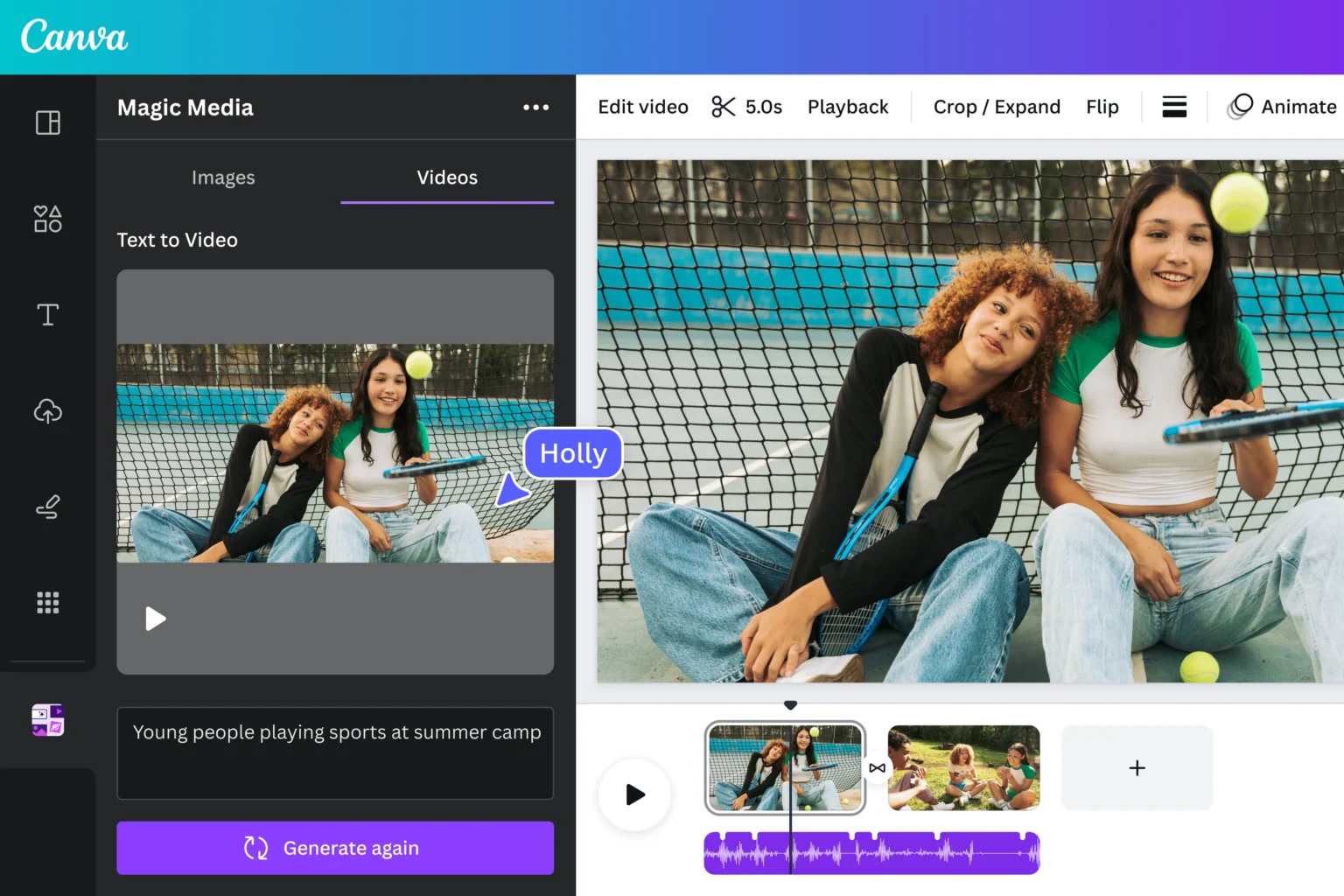
An AI Video Generator from Image is a tool that converts static images into animated video content using artificial intelligence. It adds motion, transitions, and effects to make images more engaging.
You can use tools like ImageMover to turn product photos, banners, or creative visuals into marketing videos without any editing experience.
These tools analyze an image and automatically generate movement such as zoom, pan, depth animation, and cinematic effects.
Why Marketers Are Using AI Video Generators
Marketing teams are adopting AI video tools because they solve real business problems:
Faster Ad Creation
Videos can be produced in minutes instead of days.

Lower Production Cost
No need for expensive video editing teams.
Higher Engagement Rates
Video ads perform better than static images.
Easy Testing
Marketers can quickly test different ad variations.
How AI Video Generator from Image Works
The process is simple for users but advanced in technology.
Step 1: Image Upload
You upload a marketing image such as a product photo or banner.
Step 2: AI Analysis
The system analyzes objects, layout, and background.
Step 3: Motion Creation
AI adds movement like zoom effects or camera panning.
Step 4: Frame Generation
Multiple frames are created to simulate real video motion.
Step 5: Video Output
The final video is generated and ready for download.
Step-by-Step Guide to Using AI Video Generator for Ads
If you want to use this tool for marketing campaigns, follow these steps:
Step 1: Select a Tool
Start with a reliable platform like ImageMover, which allows users to generate videos from images easily.
Step 2: Upload Marketing Image
Choose an image that represents your product or service.
Best practices:
- Use high-resolution images
- Keep branding visible
- Avoid cluttered visuals
Step 3: Choose Video Style
Select animation style based on your campaign goal:
- Product showcase motion
- Slow zoom for focus
- Cinematic transitions
- Dynamic movement for ads
Step 4: Generate Video
Let the AI process your image and create a video automatically.
This usually takes a short time depending on file size.
Step 5: Preview and Adjust
Check the video output before final use.
Look for:
- Smooth motion
- Clear product visibility
- Proper alignment
- Brand consistency
Step 6: Download and Use in Ads
Once satisfied, download the video and use it in your marketing campaigns.
You can run it on:
- Facebook Ads
- Instagram Ads
- TikTok Ads
- YouTube Ads
How AI Video Improves Marketing Performance
Using AI-generated videos in ads provides several benefits:
1. Better Attention Capture
Moving visuals attract more attention than static images.
2. Higher Click-Through Rates
Video ads often perform better in terms of clicks.
3. Improved Brand Recall
Motion helps audiences remember your product.
4. Faster Campaign Testing
You can quickly create multiple ad variations.
Best Use Cases in Marketing
AI video generators can be used in many marketing scenarios:
Product Promotions
Turn product images into short ads.
Social Media Campaigns
Create engaging posts for Instagram and TikTok.
E-commerce Advertising
Show product features in motion.
Brand Awareness Videos
Build storytelling ads using simple visuals.
Event Promotion
Turn event banners into animated clips.
Tips for Creating Effective AI Video Ads
To get better results, follow these tips:
Use High-Quality Images
Clear visuals lead to better video output.
Keep Message Simple
Don’t overload visuals with too much information.
Focus on One Product
Single-product focus improves conversions.
Match Motion with Purpose
Use slow motion for luxury and fast motion for offers.
Test Different Variations
Try multiple video styles for A/B testing.
Common Mistakes to Avoid
Even though the tool is simple, marketers should avoid:
- Using low-quality images
- Overloading animations
- Ignoring brand identity
- Not testing video performance
These mistakes can reduce ad effectiveness.
Free vs Paid AI Video Generator Tools
Depending on your needs, you may choose between free and paid versions:
Free Tools:
- Basic video creation
- Limited customization
- Watermarked outputs
Paid Tools:
- Higher resolution videos
- Faster processing
- Advanced motion effects
- No watermark
For business use, paid tools are usually more effective.
Why AI Video Ads Are Growing in 2026
AI-generated video ads are becoming more popular because:
- Video content dominates social media
- Businesses need faster production
- Advertising costs are increasing
- AI reduces creative workload
This makes AI video tools an important part of modern marketing.
Real Impact on Businesses
Companies using AI video generators often see:
- Higher engagement rates
- Improved ad performance
- Lower production costs
- Faster campaign launches
This makes AI a practical solution for both small and large businesses.
Final Thoughts
AI video generation is changing how marketing and advertising content is created. Instead of relying on expensive production teams, businesses can now turn simple images into engaging video ads in minutes.
Tools like ImageMover and modern AI Video Generator platforms help marketers create fast, effective, and engaging content without technical skills.
If you are running digital campaigns or planning to start advertising, using AI video tools can help you save time, reduce costs, and improve performance.
As marketing continues to evolve, AI-powered video generation will become a standard part of every successful advertising strategy.