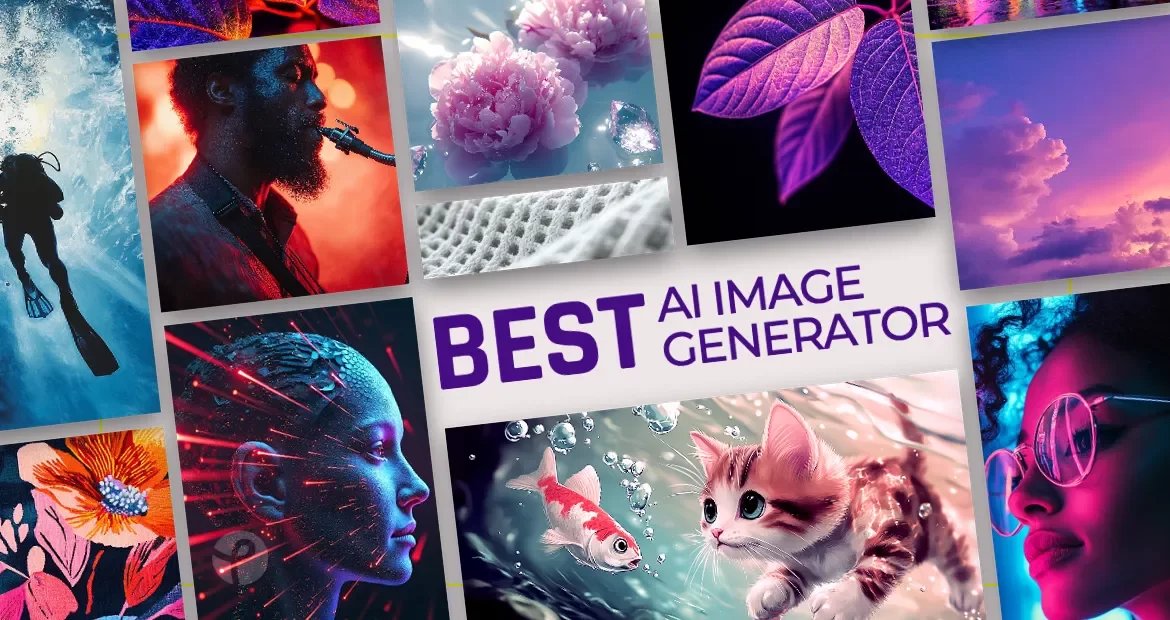
AI image generators in 2026 aren’t just “text → pretty picture” anymore. The best tools now win on editing, consistency, text rendering, and how fast you can go from idea to usable assets (ads, product shots, thumbnails, brand graphics, etc.). Recent benchmarks and reviews increasingly emphasize workflow and real-world output reliability—not just raw realism.
- How I ranked these tools (2026 criteria)
- 1) Deevid AI — Best all-in-one image generation + editing workflow (Top Pick)
- 2) Midjourney — Best for cinematic aesthetics & art-direction control
- 3) Neolemon — Best AI cartoon generator for character consistency
- 4) OpenAI image generation (ChatGPT + API) — Best for prompt accuracy, text-in-image, and “chat-to-design”
- 5) Ideogram — Best for logos, posters, and typography-heavy images
- Quick comparison (2026)
- Honorable mentions (still worth checking)
- How to choose the right one in 60 seconds
- Need volume + variations + quick edits (ads, ecom, daily content)? → Deevid AI
- Need the most “art-directed” look for campaigns? → Midjourney
- Need the same cartoon character across 20–40+ scenes (books, comics, stories)? → Neolemon
- Want chat-first iteration and strong text/diagram generation? → OpenAI
- Need posters/logos with readable text? → Ideogram
How I ranked these tools (2026 criteria)
- Image quality (detail, realism, style range)
- Control & consistency (reference images, repeatable looks, variations)
- Editing power (erase/replace, background, upscale, restoration)
- Speed & iteration (how quickly you can get to “final”)
- Pricing clarity (whether it scales reasonably)
- Commercial-readiness (licensing posture + practical usage in business workflows)
1) Deevid AI — Best all-in-one image generation + editing workflow (Top Pick)
If your goal is to produce a lot of usable marketing visuals fast, Deevid AI Image Generator stands out because it combines generation + guided consistency + editing in one place. You can do Text-to-Image, Image-to-Image, and Reference Image generation (1–5 reference images) to help keep style/pose/palette consistent.
Where it really earns the #1 spot for 2026 is that it doesn’t stop at “generate.” You can immediately move into image editing tools like:
- old photo fix / colorize
- background remover
- object remove / add (via text prompts)
- upscale/enhance for higher resolution export
Pricing (high-level): Deevid’s pricing is credit-based; its Lite tier is positioned as $10/mo (yearly) / $14 monthly and explicitly notes that 200 credits can cover “up to … 100 images” (their estimate) alongside video usage.
Best for
- Performance marketers and growth teams pumping out creatives
- E-commerce: product scene variations, background swaps, seasonal variants
- Creators who want “generate → fix → upscale → export” without switching tools
Trade-offs
- As with any “multi-model / multi-tool” suite, the best results still come from learning a repeatable prompt + reference workflow (but the interface is designed to make that easier).
2) Midjourney — Best for cinematic aesthetics & art-direction control
When people want that instantly “premium” look—cinematic lighting, bold composition, editorial polish—Midjourney is still the name that comes up. In 2026, it’s also clearer about versions and plans in its own docs, which helps teams standardize output.
A couple practical highlights:

- Midjourney treats model versions like “software updates,” and its docs state the current default version is 7.
- It offers four main subscription tiers: Basic, Standard, Pro, Mega.
Best for
- Brand visuals, campaign concepts, key art, moodboards
- High-end “look development” where style matters more than strict realism
Trade-offs
- It’s less of an “editing suite” by default; many teams still pair it with an editor for cleanup, background swaps, or precise layout work.
3) Neolemon — Best AI cartoon generator for character consistency
While most AI art tools generate stunning one-off images, they struggle to keep the same character looking identical across multiple scenes. Neolemon solves this with its Character Consistency Engine — a reference-based workflow where you create one “anchor” character, and every subsequent generation locks that character’s face, hair, and clothing while only changing what you specify.
The platform focuses exclusively on cartoon and illustrated styles (Pixar-inspired 3D, watercolor, anime, chibi, claymation, and more) rather than photorealism. It’s trusted by over 23,000 creators and is particularly popular among self-publishing authors on Amazon KDP.
A couple practical highlights:
- Character Turbo V2 generates original characters from text descriptions or photo uploads in seconds, and specialized editors (Action, Expression, Outfit, Background) let you change poses, emotions, and clothing while preserving character identity.
- Multi-Character V2 supports scenes with multiple consistent characters, and the free Prompt Easy tool removes the need for prompt engineering skills.
Pricing: Credit-based. Free trial with 20 credits (no card required). Creator Plan starts at $29/month with 600 credits (~150 images), including all editors, upscaling, and commercial use rights.
Best for
- Children’s book authors and self-publishers (especially Amazon KDP)
- Comic, storyboard, and visual storytelling creators who need identical characters across dozens of scenes
Trade-offs
- Cartoon/illustration styles only — not the right pick if you need photorealistic or cinematic film-still aesthetics.
4) OpenAI image generation (ChatGPT + API) — Best for prompt accuracy, text-in-image, and “chat-to-design”
OpenAI’s image generation inside ChatGPT has become a go-to because it’s conversational: you can iterate like you’re briefing a designer (“make the headline larger,” “change background to night,” “use a cleaner icon style,” etc.). Reporting on “Images in ChatGPT” highlights improved attribute binding and stronger text rendering compared to older diffusion-style systems, plus broad availability across subscription levels (with usage limits on free).
If you’re building workflows (apps, batch pipelines, creative automation), OpenAI’s API pricing page also gives a straightforward baseline for image output costs (example ranges shown for square images by quality tier).
Best for
- Fast iteration on concepts, diagrams, labels, menus, posters, simple brand assets
- Teams that want “brief → generate → revise → generate” in one chat thread
Trade-offs
- Rate limits and throughput can fluctuate during peak demand.
5) Ideogram — Best for logos, posters, and typography-heavy images
Ideogram’s reputation is built on one thing many generators still struggle with: clean, usable text in images (posters, headlines, merch mockups). For 2026 planning, it’s also transparent about plan tiers.
Ideogram’s own docs list plan options and typical monthly pricing bands, including Free, Plus ($20/mo), Pro ($60/mo), and Team options.
Its pricing page also frames the free tier around limited public generation. (Independent usage guides commonly note that private mode is tied to paid tiers, which matters for client work.)
Best for
- Posters, social ads with headlines, logo drafts, product label mockups
- Any workflow where readable type is non-negotiable
Trade-offs
- If you mainly need photoreal people/film still aesthetics, other tools may feel stronger.
Quick comparison (2026)
| Rank | Tool | Best for | Starting price signal | Main strength | Main limitation |
| 1 | Deevid AI | All-in-one generate + edit + upscale | $10/mo (yearly) shown | Reference images + editing suite in one workflow | Credit planning needed |
| 2 | Midjourney | Cinematic, premium art direction | Subscription tiers | Stylized “wow” output; strong versioning | Less “full editor” by default |
| 3 | Neolemon | Character consistency for cartoons & stories | Free / $29/mo | Same character across unlimited scenes; built for storytelling | Cartoon/illustration only; no API |
| 4 | OpenAI (ChatGPT/API) | Prompt fidelity + chat iteration | API per-image pricing published | Great text + attribute binding; chat-based iteration | Rate limits can happen |
| 5 | Ideogram | Typography, posters, logos | Free / $20 / $60 shown | Clean text-in-image + design-forward output | Less “cinematic” than MJ |
Honorable mentions (still worth checking)
- Leonardo AI: strong creative suite + pricing tiers and tokens; popular with asset-heavy creators.
- Canva Magic Media: easiest for non-designers; great when you want “generate → drop into a template → publish.”
- DreamStudio / Stable Diffusion: flexible credit-based generation and the ecosystem advantage (models, fine-tunes), especially for technical users.
How to choose the right one in 60 seconds
Need volume + variations + quick edits (ads, ecom, daily content)? → Deevid AI
Need the most “art-directed” look for campaigns? → Midjourney
Need the same cartoon character across 20–40+ scenes (books, comics, stories)? → Neolemon
Want chat-first iteration and strong text/diagram generation? → OpenAI
Need posters/logos with readable text? → Ideogram